Participating Frequently
March 13, 2017
Answered

Creative Cloud Resource not working

  • March 13, 2017
  • 2 replies
  • 397 views

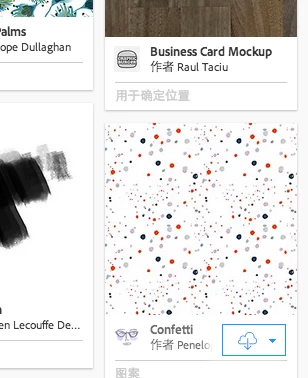
I tried to download some resources from Creative Cloud Resource, but the button(shape as the cloud) didn`t work. Then I tried to sign out the account to active it, but nothing happened. Could anyone help me to solve this problem?

Thank you for your help.

Best wishes

.

This topic has been closed for replies.
Correct answer David__B

Hi Xiaoz,

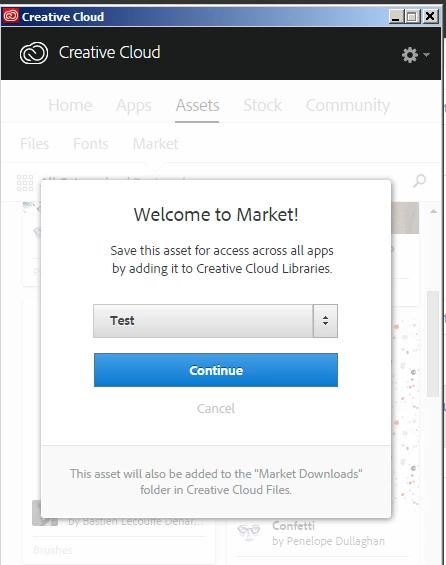
When I click a button to download a Market asset I get a prompt to select which Library to save it in

You might want to try these two things and see if they help

Solution 1

1) Reboot the computer

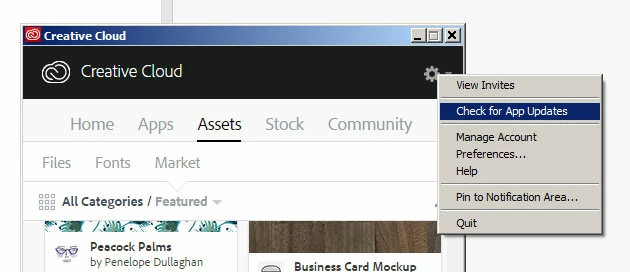
2) Choose the Check for App Updates option in the top right within the Creative Cloud app

3) After that process completes try downloading the market asset again

Solution 2

1) Go the Libraries section online at Adobe Creative Cloud​ and sign in with your Adobe ID

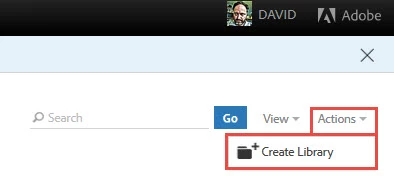
2) Create a new Library using the option from the Action menu in the top right
3) Try downloading the market asset again

Please let me know if these help,

Thanks,

- Dave

2 replies

David__B
David__BCorrect answer
Legend
March 13, 2017

Hi Xiaoz,

When I click a button to download a Market asset I get a prompt to select which Library to save it in

You might want to try these two things and see if they help

Solution 1

1) Reboot the computer

2) Choose the Check for App Updates option in the top right within the Creative Cloud app

3) After that process completes try downloading the market asset again

Solution 2

1) Go the Libraries section online at Adobe Creative Cloud​ and sign in with your Adobe ID

2) Create a new Library using the option from the Action menu in the top right
3) Try downloading the market asset again

Please let me know if these help,

Thanks,

- Dave

Atul_Saini
Legend
March 13, 2017

Moving the discussion to File Hosting, Syncing, and Collaboration​ forum.