

Lyon Agency
Participant
Jun 22, 2022 12:06 AM UTC
Answered

Creative Cloud says its totally full but it's empty and I can't load any file

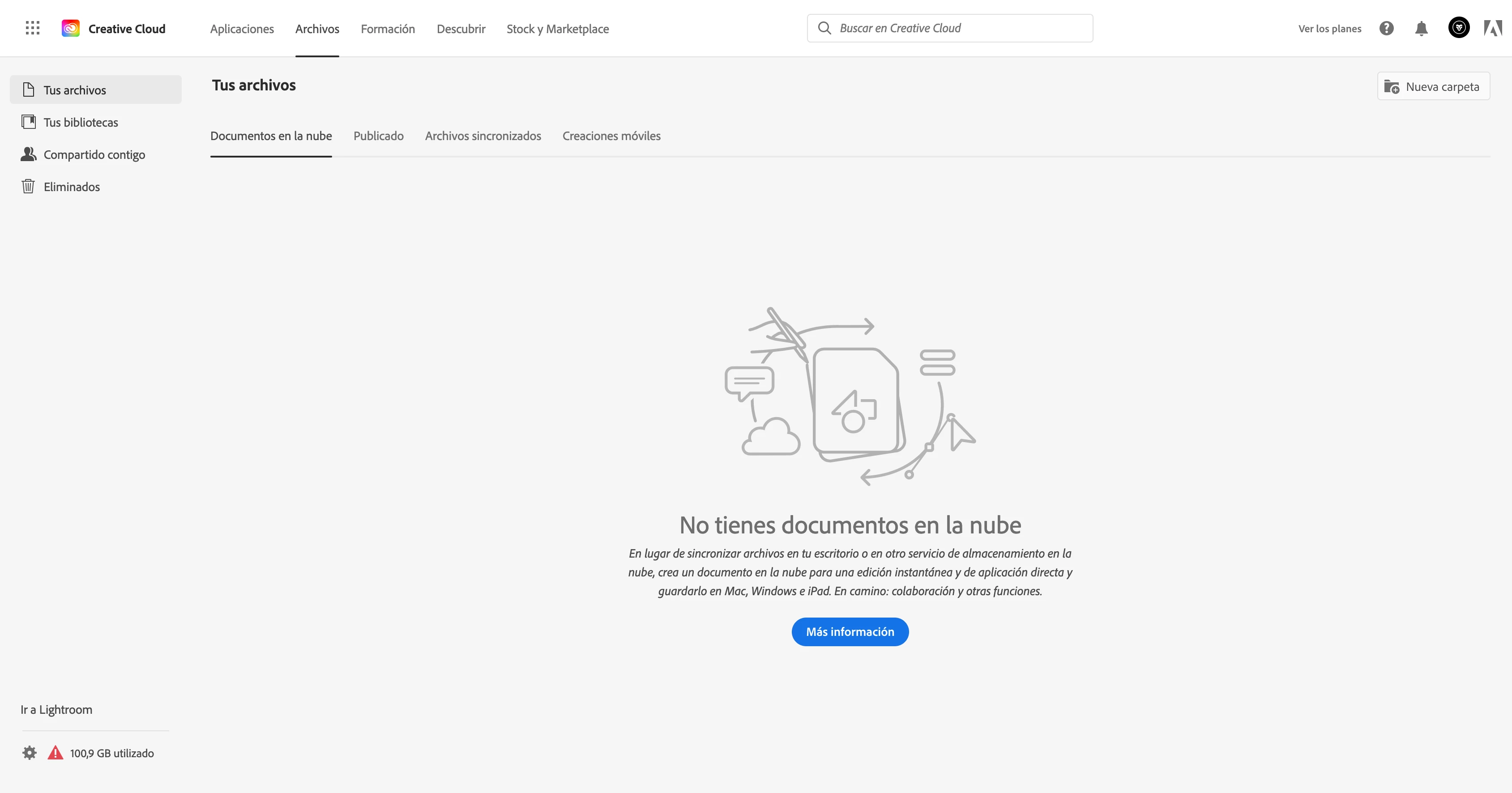
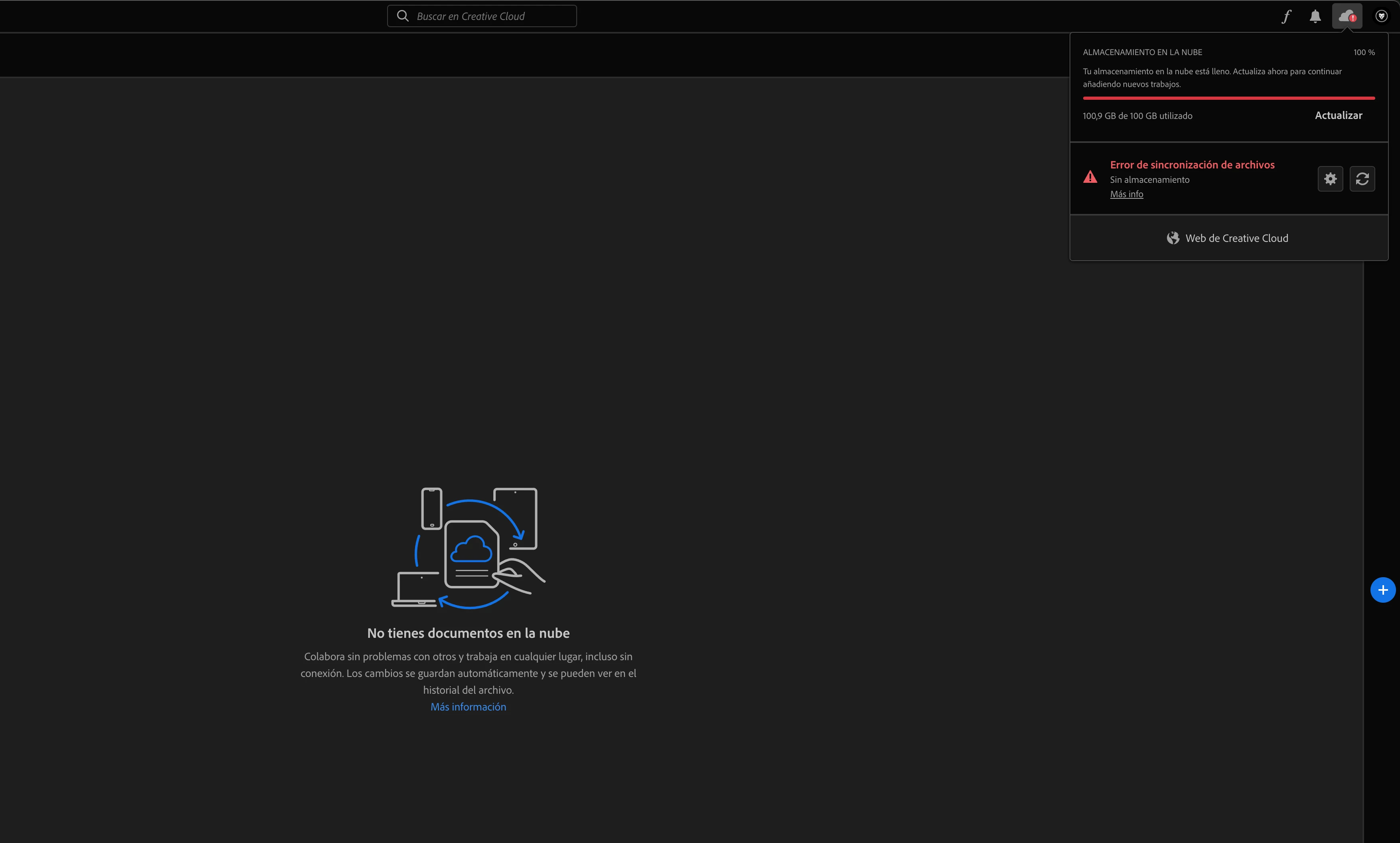
Hi, CC says I got the 100 gb full and I can't load any file, but the folder is actually empty because I deleted everything that was there, anyway I can't do anything and it doesn't sync anymore because it's saying it's full.

Thank you in advance
Lyon Agency
Lyon AgencyCorrect answer
Participant
Jun 23, 2022 12:16 AM UTC

SOLVED !, I got many files in the folder "Deleted", they were what weighed so much !

This was the link

https://assets.adobe.com/deleted

My feedback for Adobe is: don't make so confuse and scattered the information of the storage system

9 replies

Participant
Dec 5, 2024 9:30 AM UTC

mine it's full and i don't have any files on cloud or even on deleted folder

Translate
Tarun Saini
Community Manager
Community Manager
Dec 5, 2024 10:47 AM UTC

Hi @FramebyAlexandre ,


Thank you for joining the community! We're sorry to hear about your issue. Could you kindly provide your Adobe ID so we can look into it more deeply?


We're here to assist, just need a bit of information.


Best regards,

Tarun

Translate
Participating Frequently
Jul 31, 2025 8:30 PM UTC

Hi @Tarun Saini 


I am having a similar issue, creative cloud storage shows as full, but no files when I view files in the Creative Could Desktop App, and nothing in the deleted section. Please help! 


Translate
Neelamk
Legend
Jun 22, 2022 10:57 AM UTC

Hi There,


We are sorry for your difficulties as the Creative Cloud Application shows storage full though you have no files. To help you better, could you please let us know the version of the Creative Cloud Desktop Application and the OS Version. Also, make sure, the CC App is in the foreground, and then press CTRL+ALT+R, it will refresh the application. Could you also confirm if you have the same error shown in Creative Cloud web which you can access through assets.adobe.com? 

We have some troubleshooting articles to resolve the storage full issue, please refer below:

https://helpx.adobe.com/in/creative-cloud/kb/file-storage-quota.html

https://helpx.adobe.com/in/creative-cloud/help/delete-files-permanently.html


Please let us know if this helps. Also, share with us the details to investigate the issue.


Regards,

Neelam

Translate
Lyon Agency
Lyon AgencyAuthorCorrect answer
Participant
Jun 23, 2022 12:16 AM UTC

SOLVED !, I got many files in the folder "Deleted", they were what weighed so much !

This was the link

https://assets.adobe.com/deleted

My feedback for Adobe is: don't make so confuse and scattered the information of the storage system

Translate
Nancy OShea
Community Expert
Community Expert
Jun 23, 2022 12:28 AM UTC

Add these URLs to your browser's bookmarks/favorites.


Creative Cloud Assets https://assets.adobe.com
- Synced files
- Cloud documents
- Deleted files

Lightroom https://lightroom.adobe.com
- Photos
- Albums
- Edited files
- Imported files
- Deleted files

Document Cloud https://documentcloud.adobe.com
- All documents
- Starred files
- Shared files

Adobe Express (formerly called Spark) https://www.adobe.com/express/
- Projects
- Brand files
- Graphics
- Web pages
- Videos


Translate
Nancy O'Shea— Product User & Community Expert