

aTomician
Inspiring
December 5, 2018
Answered

Creative cloud shared link not working

  • December 5, 2018
  • 5 replies
  • 7484 views

I have a CC folder with 3 videos in it, all less then a minute long.  I can view these online with no problem.
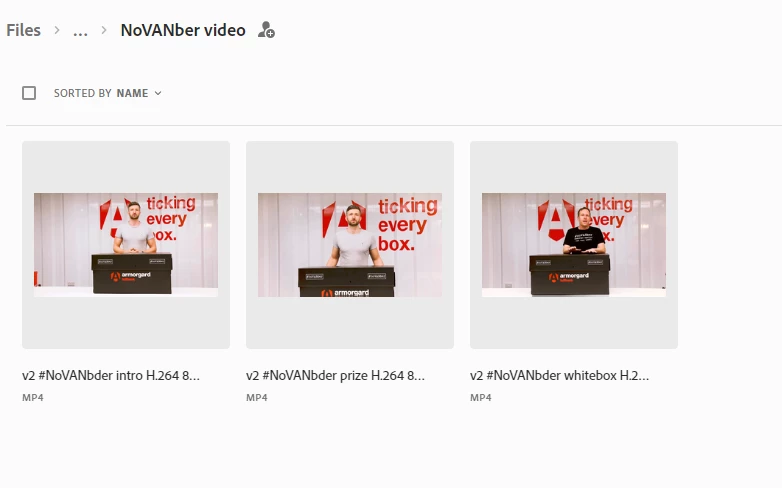
    

I created a shared link to the folder to share with the team, just as I've done many times before.  However they can't view the files using the link.  As you can see in the screenshot below, previews aren't appearing for the videos on the link, and when they are clicked on, we just get a blank white page with the Adobe header.
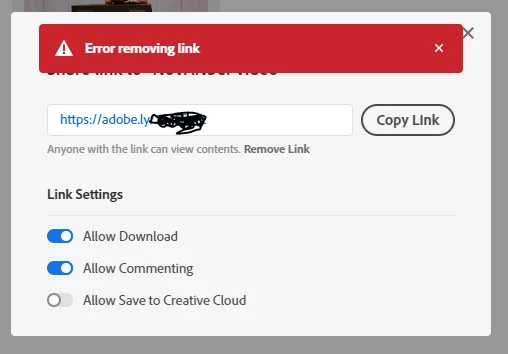
So now, I've tried to remote the link, and I get this error:
So I'm stuck.  I can't share my work with the team, unless I now install dropbox or google drive or something.  Is there anything I can do to get this working, or do I give up on Adobe software?

Please help someone.

This topic has been closed for replies.
Correct answer António P. - Vanguardly

Tomy-rex​, the problem is your videos names, you cannot use some characters, for example "#" and you do have them on all file names.

This is something Adobe should fix already fixed, or at the very least give clear feedback on how it works, however, in the meantime just do not use those characters and you will be fine.

Hope this helps

UPDATE: As this was the accepted answer, I've edited this post in order to clarify the changes made by Adobe after I posted this.

The special characters issue as already been fixed by Adobe according to jkuperman​ in this comment: Re: Creative cloud shared link not working

Hello!

apintocr is right, we had a bug where the site would break if there were special characters in it. We shipped a fix for this last week. Would you mind trying again and letting me know if you still run into any issues?


Thanks!Jon

5 replies

jkuperman
Adobe Employee
Adobe Employee
April 12, 2019

Hello!

apintocr is right, we had a bug where the site would break if there were special characters in it. We shipped a fix for this last week. Would you mind trying again and letting me know if you still run into any issues?


Thanks!Jon

Participant
April 12, 2019

Hello,

I am having a similar issue. I created a share link for a project file. When I or my collaborator tries to go to the link it generated, it just goes to a broken page that says "This Page Unavailable."

What do I do about that?

António P. - Vanguardly
Inspiring
April 11, 2019

Tomy-rex​, the problem is your videos names, you cannot use some characters, for example "#" and you do have them on all file names.

This is something Adobe should fix already fixed, or at the very least give clear feedback on how it works, however, in the meantime just do not use those characters and you will be fine.

Hope this helps

UPDATE: As this was the accepted answer, I've edited this post in order to clarify the changes made by Adobe after I posted this.

The special characters issue as already been fixed by Adobe according to jkuperman​ in this comment: Re: Creative cloud shared link not working

Hello!

apintocr is right, we had a bug where the site would break if there were special characters in it. We shipped a fix for this last week. Would you mind trying again and letting me know if you still run into any issues?


Thanks!Jon

zulucowboy
Participating Frequently
April 6, 2019

I have the same problem and adobe help center have gone AWOL. 45min with a chart window open waiting for a response and none coming my way yesterday. tried again this morning and zero response so far been on line for 20min. very frustrating when you paying for a service but when you have a problem they don't want to know you. regret recommending CC to colleagues cause if they start having these kind of issues my word is toast.

aTomician
aTomicianAuthor
Inspiring
December 6, 2018

Guess I'll just switch to Dropbox if CC isn't reliable...  Dropbox is cheaper for 1TB anyway.

Regards, aTomician
kglad
Community Expert
Community Expert
December 5, 2018