


Participant
April 4, 2025
Answered

Creative cloud storage

  • April 4, 2025
  • 2 replies
  • 410 views

Cloud storage (in Photoshop and Creative Cloud Desktop, Windows 10) shows 8.73Gb of 20Gb used, yet I have zero files in cloud storage. Also, as others have asked, how do I turn off/disable cloud storage? None of the previous answers were actual solutions and I read through a few hundred posts. Been using Photoshop for 25 years, never had this kind of frustration before the SAAS model.

Correct answer David__B

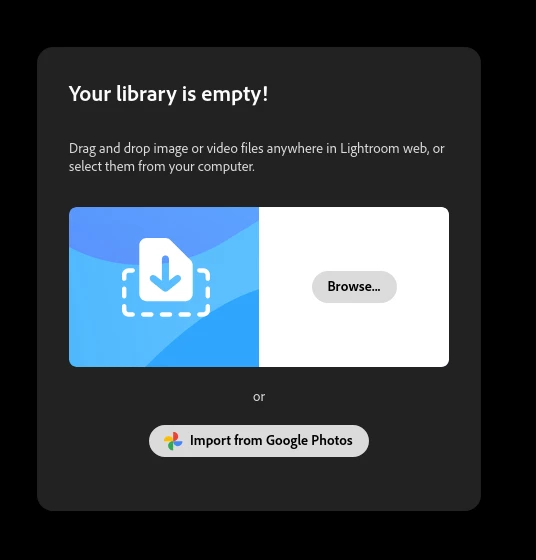
I did that. See attached. Zero files and now the cloud storage has *increased* from 8.7Gb to 10.5Gb. Pure insanity.


Okay, it sounds like there may be some kind of issue with your account. Could you reach out to work with our support directly as a next step. They can be reached here: https://helpx.adobe.com/contact.html?rghtup=autoOpen

2 replies

David__B
Adobe Employee
Adobe Employee
April 4, 2025

Hi @Mogie2077

Thanks for double-checking. I'll do some investigation from my side and see what I can figure out.


Best,
Dave

David__B
Adobe Employee
Adobe Employee
April 4, 2025

Hi @Mogie2077

I'm sorry to hear about your frustration. I wondered if files got uploaded unknowingly or by accident somewhere along the way. I'd recommend logging in with your Adobe ID to these sites and seeing if you see any files. Often, Lightroom online storage is the cause.

https://adobe.ly/4cj6jIN
https://adobe.ly/4iWu8sr
https://adobe.ly/4ch22p7
https://adobe.ly/3YgNC2y


Could you check if you have files in any of these locations? You might also want to check https://adobe.ly/4clpKRk


Links taken from:
https://adobe.ly/3XHHO1V


Please let us know if this helps,
Dave

Mogie2077Author
Participant
April 4, 2025

Thanks, I've checked all of those before I posted, and double-checked via your links. There are simply no files.....I've even restarted all instances of Photoshop/Creative Cloaud, etc. and restarted my PC.

David__B
Adobe Employee
Adobe Employee
April 4, 2025

Hi @Mogie2077


It looks like it's storage used by Lightoom when I checked your account. Can you log into 
https://adobe.ly/44bf45y with your Adobe ID (gmail account), click on your avatar on that site in the top right and go to Account Info and share a screenshot of the pop-up that appears? You may want to hide you email address on the screenshot before sharing it.

Thanks,
Dave