
Participant
November 22, 2024
Question

Creative Cloud Storage is driving me crazy

  • November 22, 2024
  • 1 reply
  • 96 views

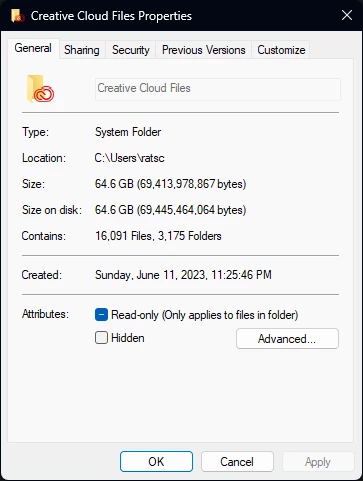
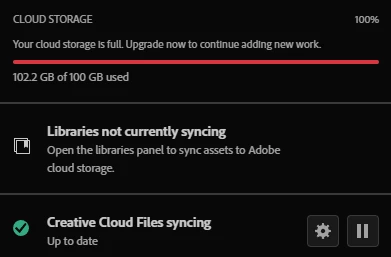
My Creative Cloud storage is always full and never matches the actual disk space. I’m not sure if it’s related to formatting or something else, but I can’t keep dealing with this issue. I’ve checked the recycle bin on the Creative Cloud website, and it’s also empty. Thanks in advance to anyone who can help!
 

This topic has been closed for replies.

1 reply

kglad
Community Expert
Community Expert
November 22, 2024

the local sync folder is irrelevant because it doesn't sync any more.


use a web browser to navigate to the following locations. at each location there are several folders/link to check.:


https://assets.adobe.com

https://lightroom.adobe.com

https://documentcloud.adobe.com

https://spark.adobe.com


if you delete anything from any of these locations, check for a deleted folder where your file(s) was (were) moved. if you want to clear space you must delete files in the deleted folder. the used storage shown at each of those four sites (when totaled), should match the space shown used by your cc files.