

Question
Creative Cloud Syncing Error
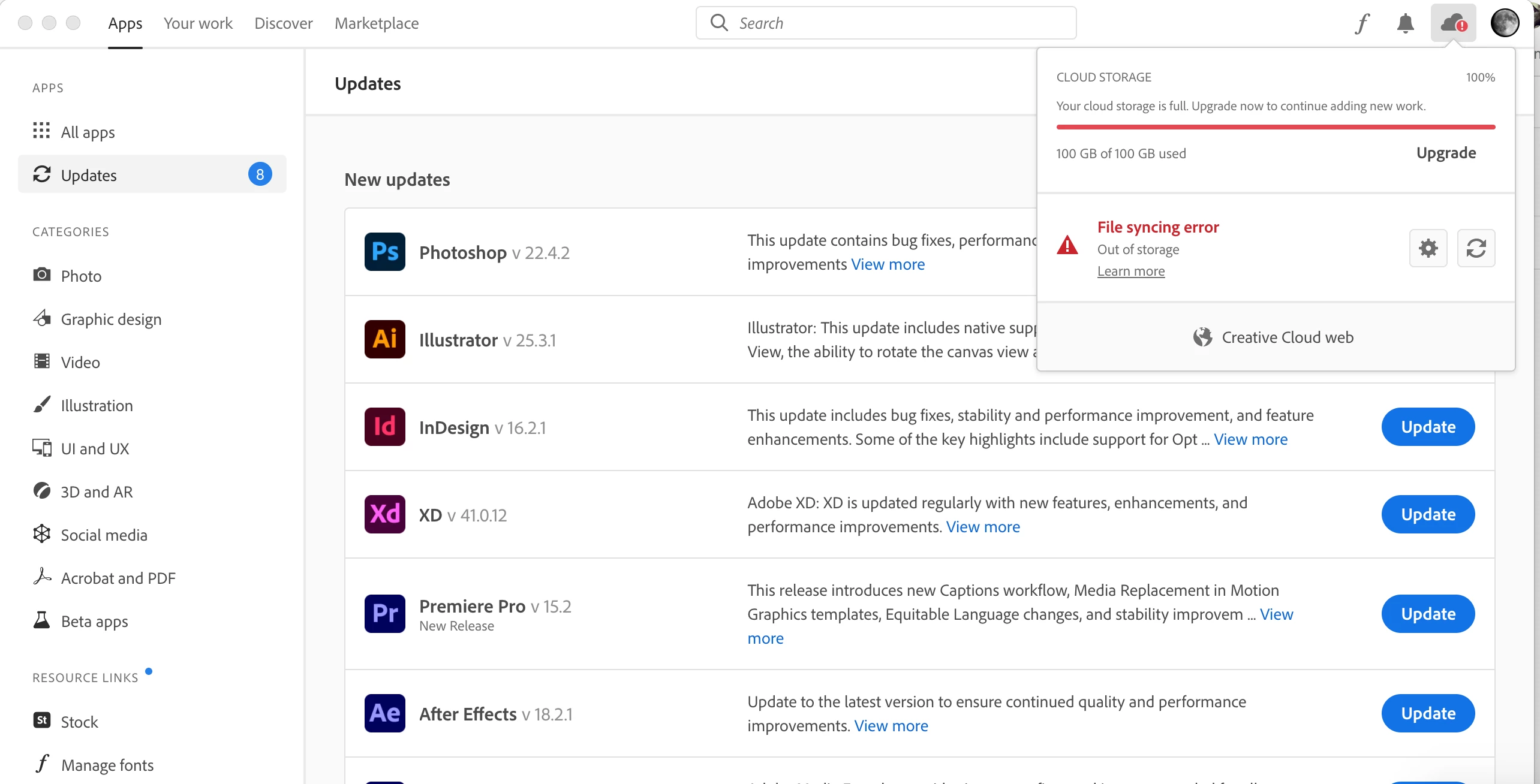
I've reached the maximum 100GB on the creative cloud so I transferred all of the files onto some hard drives and deleted everything in Creative Cloud (in both the website and the folder on my mac). However, the syncing has been stuck forever and nothing is happening. Any new files put into creative cloud will receive the red "!" because it thinks the drive is full when there's clearly nothing in it.
Things I've already tried:
- Deleted all files on CC
- Logged out and in of CC app
- Tried to delete files on the website Work Files but it won't allow me to
- Clicked the Refresh/Pause button on the app


 AdChoices