
kathrynp5931801
Participant
November 7, 2016
Answered

Creative Cloud will not login or sync files

  • November 7, 2016
  • 4 replies
  • 709 views

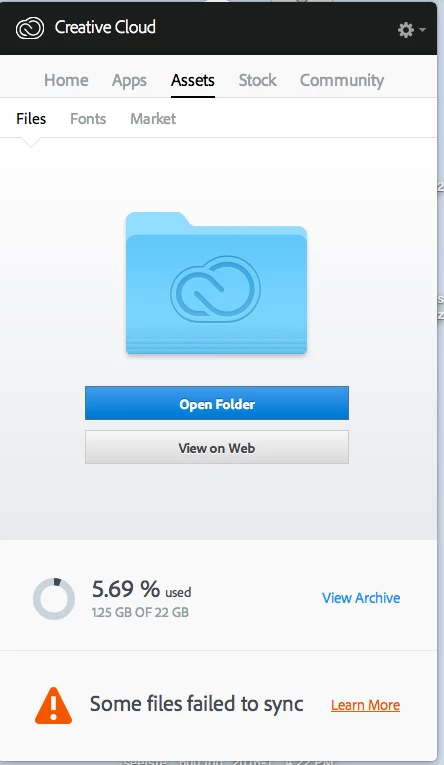
I am having issues logging in to Creative Cloud desktop app. The blue wheel spins and spins. I have shut down and disconnected the internet and restarted. When and if I get logged in it says some files failed to sync. Someone please help or let me know I'm not alone.
This topic has been closed for replies.
Correct answer David__B

Hi Kathryn,

I've gotten feedback that this issue should be resolved now. If you're unable to login could you try restarting your computer and attempt to login again. If the issue persists please let us know.

Thanks

4 replies

kathrynp5931801
Participant
November 8, 2016

Now I can't even log on. Just a blue spinning wheel.

David__B
Adobe Employee
David__BCorrect answer
Adobe Employee
November 8, 2016

Hi Kathryn,

I've gotten feedback that this issue should be resolved now. If you're unable to login could you try restarting your computer and attempt to login again. If the issue persists please let us know.

Thanks

Participant
November 8, 2016

I've been having the same problem since yesterday. Switching to Dropbox until they can resolve this.

kathrynp5931801
Participant
November 7, 2016

Anyone else experiencing this?

David__B
Adobe Employee
Adobe Employee
November 8, 2016

Hi Kathryn,

I've seen a few other reports here on the forums. I've contacted our engineering team about the issue. Hopefully it's something we can get fixed soon.

- Dave

Kanikas
Community Manager
Community Manager
November 7, 2016