
avniy75303202
Participant
November 1, 2022
Question

Creative Cloud won't let me work on my PC, keeps asking for uninstall options

  • November 1, 2022
  • 1 reply
  • 175 views

hi there

I tried to remove premiere pro from my pc, but this window keeps popping up:
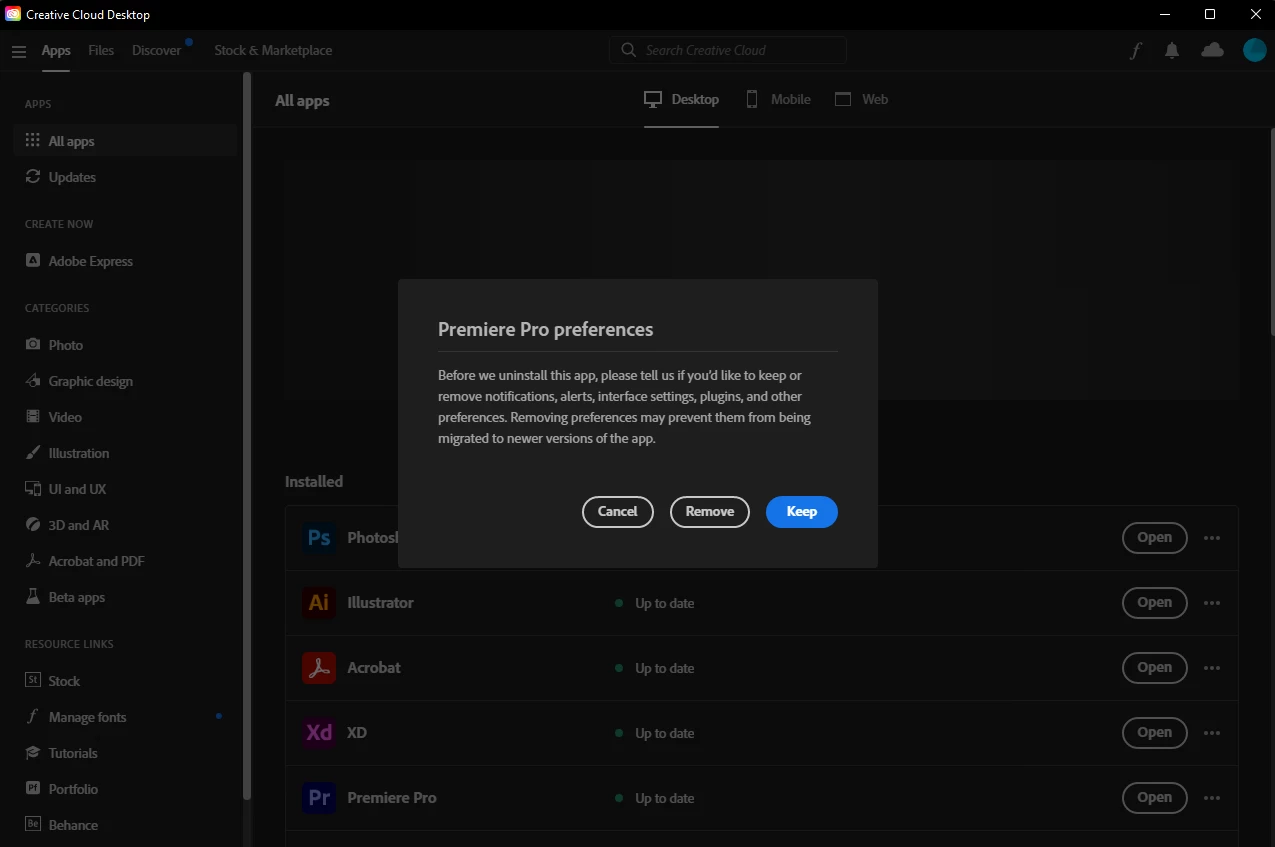
No matter what I click, this will keep popping up, even if I uninstall premiere pro and install in again it will keep popping up during the process, pc restart - cloud creative exit - NOTHING F*  WORKS.


PLEASE HELP!


This topic has been closed for replies.

1 reply

kglad
Community Expert
Community Expert
November 1, 2022

reset the cc desktop app: make sure it's in the foreground, then press:

Win: Ctrl + Alt + R
Mac: Cmd + Opt + R


if that fails to to what you want, what is it that you want?  to uninstall premiere pro?  install premiere pro?

avniy75303202
Participant
November 1, 2022

it has restarted cc but this popup still comes up.

I wanted to uninstall it, but even when I do, it still comes up and disturbs my work.

My only option is remove completely CC from my pc but I need its apps.

Even when End process via task manager, this will still pop up. ;_;

kglad
Community Expert
Community Expert
November 1, 2022

try to repair
https://helpx.adobe.com/download-install/kb/creative-cloud-install-stuck.html

if that fails go ahead and uninstall using the correct uninstaller from https://helpx.adobe.com/creative-cloud/help/uninstall-creative-cloud-desktop-app.html#sa_src=web-messaging and then reinstall

if that fails, do a clean cc install following each applicable step:

uninstall every cc app including preferences, https://helpx.adobe.com/creative-cloud/help/uninstall-remove-app.html

then uninstall the cc desktop app, again using the correct uninstaller, https://helpx.adobe.com/creative-cloud/help/uninstall-creative-cloud-desktop-app.html#sa_src=web-messaging

clean your computer of cc files per http://www.adobe.com/support/contact/cscleanertool.html

check for, and if available, update your os

repair all ms visual c++ versions that can be repaired.

update your ms visual c++, if it can be updated

restart your computer (don't skip this)

reinstall the cc desktop app, https://creativecloud.adobe.com/apps/all/desktop?action=install&source=apps&productId=creative-cloud

if you're unable to download the cc desktop app at this stage, use the "alternative download links" at the bottom of the page at https://helpx.adobe.com/download-install/kb/creative-cloud-desktop-app-download.html

use the desktop app to install your cc programs/trials