
Participant
March 2, 2023
Question

disk location move and sync slowness

  • March 2, 2023
  • 1 reply
  • 728 views

Approximately 97 gb of my files hosted in the cloud were on my hard disk (D:/). I bought a new SSD disk (G:/) and showed my new disk in "Settings" / "File Location" in Creative Cloud app. After about 1 hour the files on my "D" drive were successfully moved to my "G" drive.
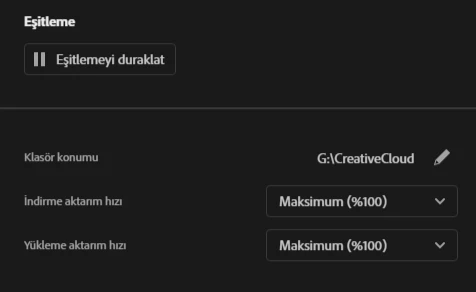


 But after a while, around 127,000 files started to be resynced on Creative Cloud, and this is progressing very slowly. 1 file takes almost 1 minute. And even though it's been 3 days, the sync still continues. Why does this problem occur? Shouldn't the move and sync have already been completed when I migrated the disk? And why is it so slow?



I am using windows 11.

This topic has been closed for replies.

1 reply

kglad
Community Expert
Community Expert
March 2, 2023

you should have disabled sync in your cc app

install your ssd drive

copy your d drive sync folder files to the folder on your ssd drive that you want to use for sync

change your sync location to the ssd drive with the copied files in place

start your cc desktop sync

okandumanAuthor
Participant
March 2, 2023

I've already done these. I have all my Cloud files on my new disk. I moved them to the new disk. But still creative cloud is syncing and it hasn't finished for 3 days, syncing is progressing very slowly.


kglad
Community Expert
Community Expert
March 2, 2023

did you stop sync until everything else was done?