Participant
May 8, 2023
Answered

Download all cloud files to my desktop.

Is there any way I can download all my Photoshop Cloud files to my desktop? Either from the Creative Cloud App or from the Web. Please Help!!

Kevin Stohlmeyer
Kevin StohlmeyerCorrect answer
Community Expert
May 9, 2023


Hi @nevillebrem you cant download folders. Open the folder, select all the assets inside then download the assets, not the folder.

13 replies

Participant
July 5, 2026

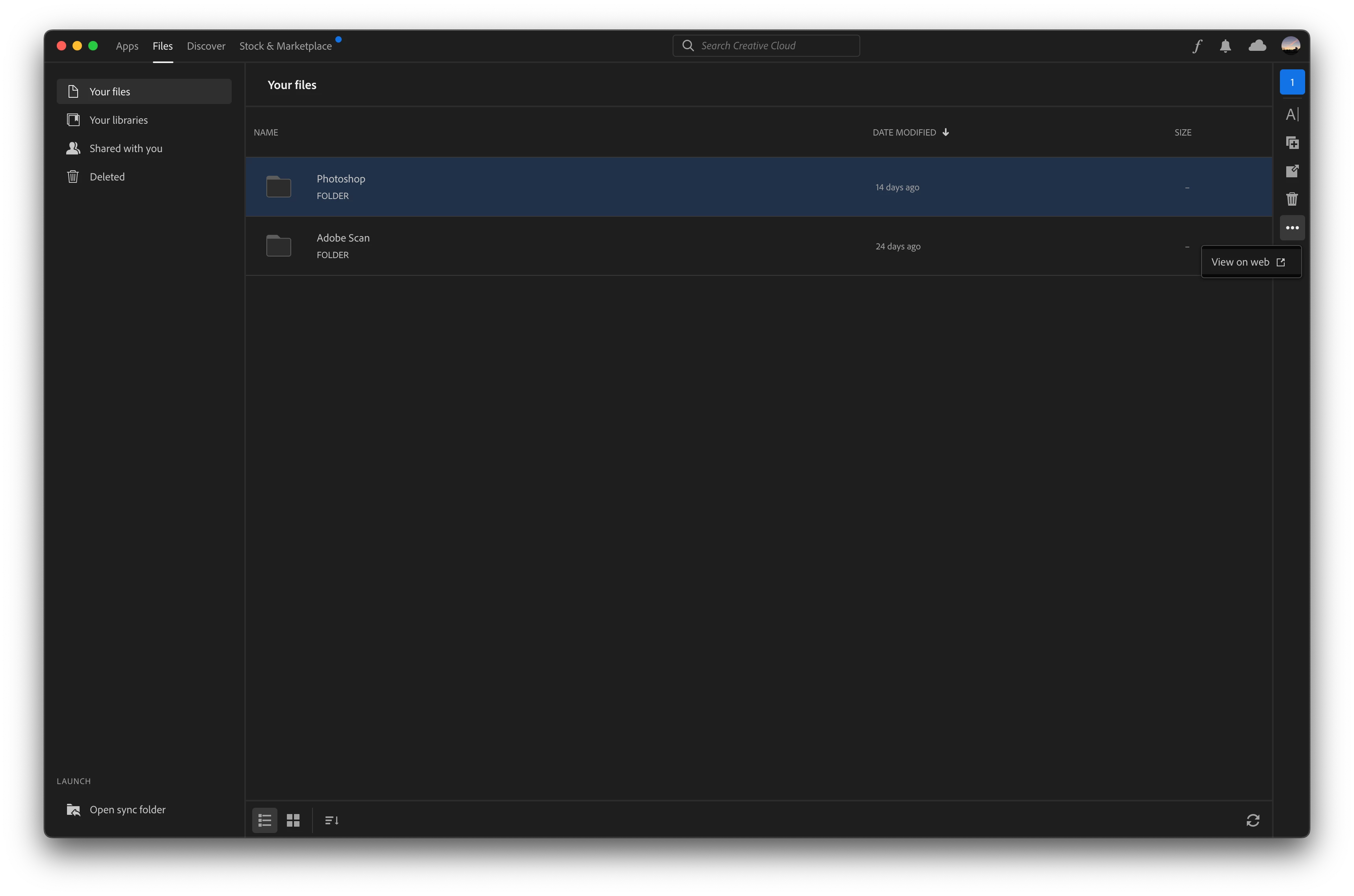
I'm having the same problem. The ellipses only gives me the option to delete, and not to download or make available offline. I have over 900 files I'd like to transfer, either onto my SSD or into Premiere, and I can’t find an option to do so. Does anyone know how to bulk transfer over all of the files without having to do them individually? 

Translate
melissapiccone
Community Expert
Community Expert
May 8, 2023

Just select and right click... 


Translate
Melissa Piccone | Adobe Trainer | Online Courses Author | Fine Artist
Participant
May 9, 2023

still no button 😞

Translate
Kevin Stohlmeyer
Community Expert
Community Expert
May 9, 2023

See my response. Dont right-click use the Ellipses menu option to download. Can you show your entire screen instead of sections?

Translate
melissapiccone
Community Expert
Community Expert
May 8, 2023

Yes - you can go to your CC app - go to your files, select them and right click dow download. You should be able to select them all and download. 

Translate
Melissa Piccone | Adobe Trainer | Online Courses Author | Fine Artist
Participant
May 8, 2023

the problem is, that I don't have this button.

Translate
Kevin Stohlmeyer
Community Expert
Community Expert
May 8, 2023

Hi @nevillebrem its found by the ellipses


Translate