


Question
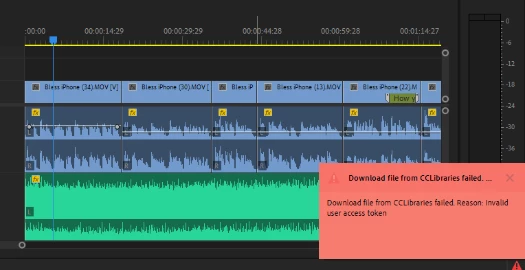
Download file from CCLibraries failed. Reason: Invalid user access token.
I have a licensed version of Adobe Premiere Pro through Partners Group. Certain assets (video, audio, images) are available with the license; however, I am unable to download the videos assets. The reason given in the error popup is "Download file from CCLibraries failed. Reason: Invalid user access token." This looks to be a known issue since 2021 at least but none of the forums ever had a resolution and I can't get ahold of anyone from Adobe, but this is insane. Is there a workaround? Why am I paying for this?
 AdChoices