Carola_BHG
Inspiring
December 27, 2021
Question

Duplicated libraries in Creative Cloud

  • December 27, 2021
  • 3 replies
  • 1020 views

I'm having this problem for a while now and I would like to know if there is a fix for this.


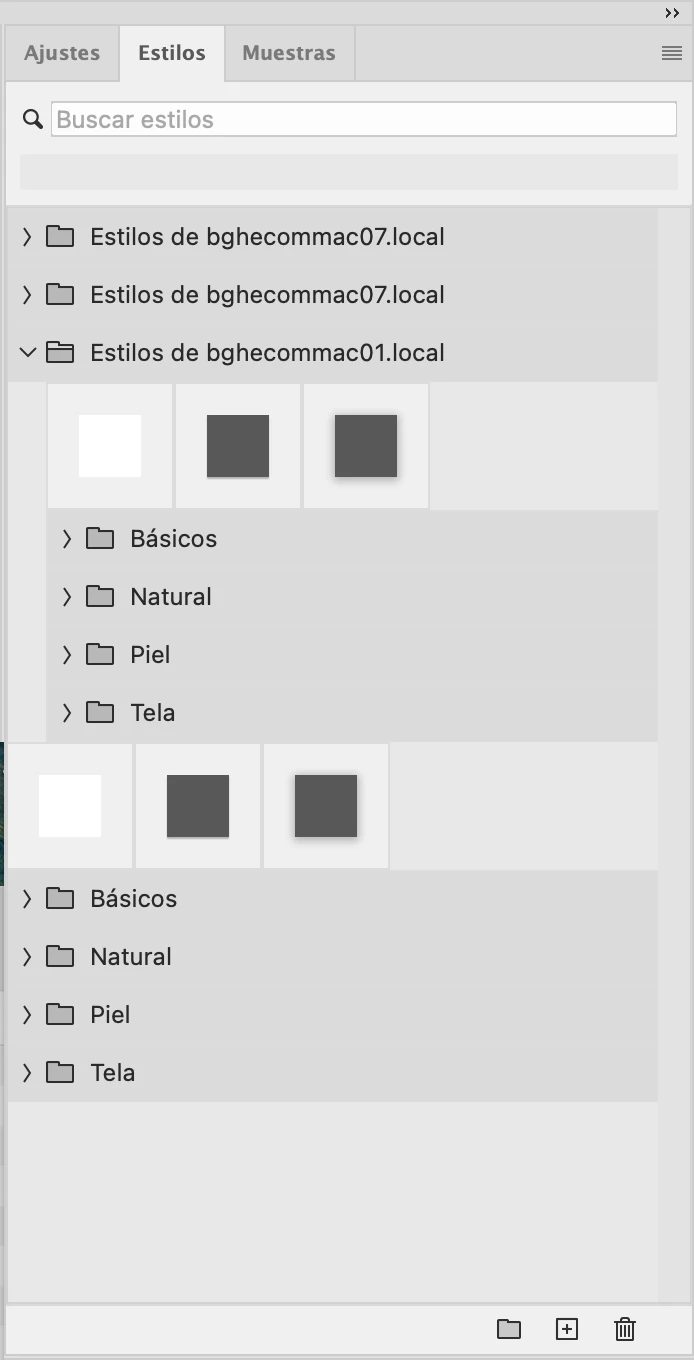
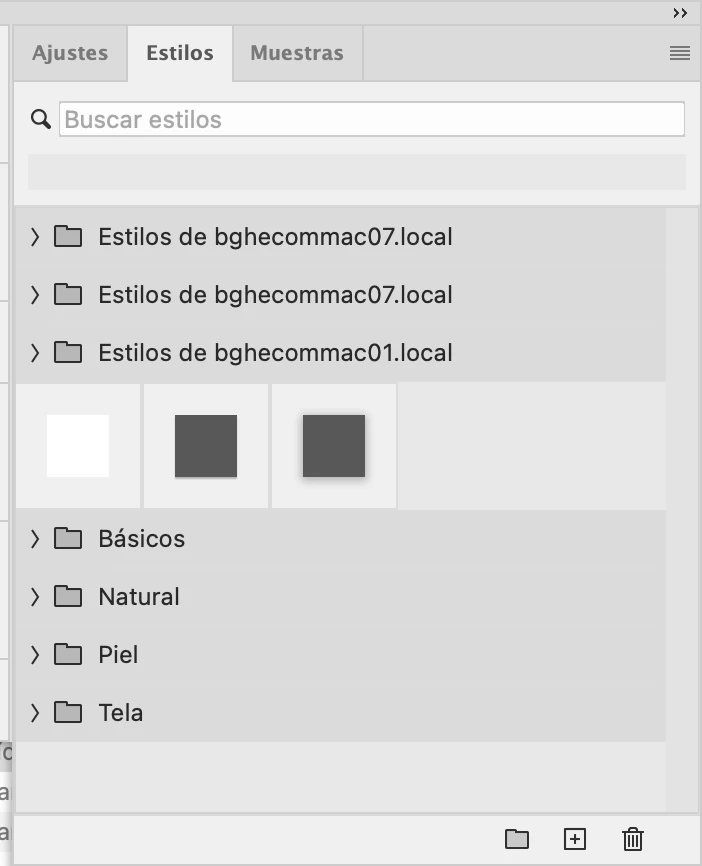
My libraries for Styles, Swatches, Gradients and Brushes are being duplicated over time. My fix is to delete those duplicates when there are too many. Somehow CC is creating a folder like "Styles from computernamehere.local" over and over, same for swatches or brushes. Since I have two computers, it will create a few for each computer.


In the images below you can see what happens. I have three samples, and then 4 folders. On top of my original stuff there are three folders that are a copy of my stuff, two from one of my computers (07) and then another one (01), inside they have the materials duplicated.


This happens not only with Styles but also with Swatches and Brushes. In fact today I got a notification that Photoshop wasn't able to load more brushes because there were too many. Of course there were a lot of copies I didn't think of. I periodically delete those but it shouldn't happen in the first place.


Thanks for any help.
This topic has been closed for replies.

3 replies

Canary3d
Participating Frequently
November 6, 2022

I also have this problem, but for me it is a local PC problem - these assets are not duplicated in the cloud. (That might be because most of my assets aren't duplicated in the cloud, which is a separate issue). I think it is happening because every time CC updates Photoshop, it imports the local patterns and brushes again. I can tell because the further I go down the nested folders, the fewer patterns are in there.  

kglad
Community Expert
Community Expert
November 6, 2022

@Canary3d 


reset the cc desktop app: make sure it's in the foreground, then press:

Win: Ctrl + Alt + R
Mac: Cmd + Opt + R

David__B
Adobe Employee
Adobe Employee
January 18, 2022

Hi Carola_BHG,


Unfortunately this is not a known issue. I'd recommend contacting and working with our support directly on the issue. They can be reached here: https://helpx.adobe.com/contact.html?rghtup=autoOpen


Best,

Dave

Carola_BHG
Inspiring
January 21, 2022

Thank you, David.

Carola_BHG
Inspiring
January 18, 2022

¿No one with this problem, only me? 🙂