
Participant
December 11, 2018
Question

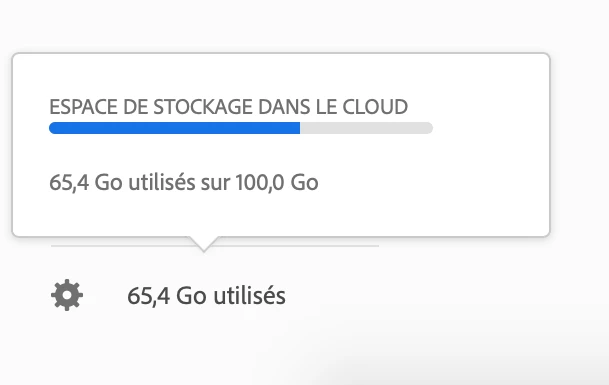
Empty Creative Cloud folder, yet 65% of my storage marked as used

  • December 11, 2018
  • 3 replies
  • 1434 views

Hello,

I have completely emptied the local "Creative Cloud files" folder on my computer, and none of my folders on https://assets.adobe.com/ (Files, Libraries, Published, Shared with You, Deleted) contain any file.

Yet, both the CC desktop app and my online Creative Cloud account indicate 65% of my 100 Go are used.

Is this number wrong or is there some sort of hidden file/directory which could explain this?

How can I reset my storage?
This topic has been closed for replies.

3 replies

Participant
May 9, 2019

I was in the same boat! Go to assets.adobe.com/deleted , where you will find your "deleted" assets. Delete all those  permanently to clear out all your space.

brianpex
Participating Frequently
December 22, 2019

YUP! LOL! So simple and right there! DONE! Thanks! 


Participant
January 13, 2019

Hi Eric and Joel .

A bit down this subject there is the solution .. you'll have to go trough the Lr classic preferences menu .. it worked for the exact same problem as yours : Cloud storage full but files & archives empty

Cheers

janv42418793
Participant
January 15, 2019

Hi,

I had done that before. I have done it again now but nothing changes.

Regards,

jan.

Participant
December 14, 2018

I have the same issue. It says I'm using 11.6 GB, but my CC folder is empty and there's nothing in any of the other folders in the Web interface.