
Participant
January 12, 2024
Question

ERRO 12013

  • January 12, 2024
  • 5 replies
  • 4812 views

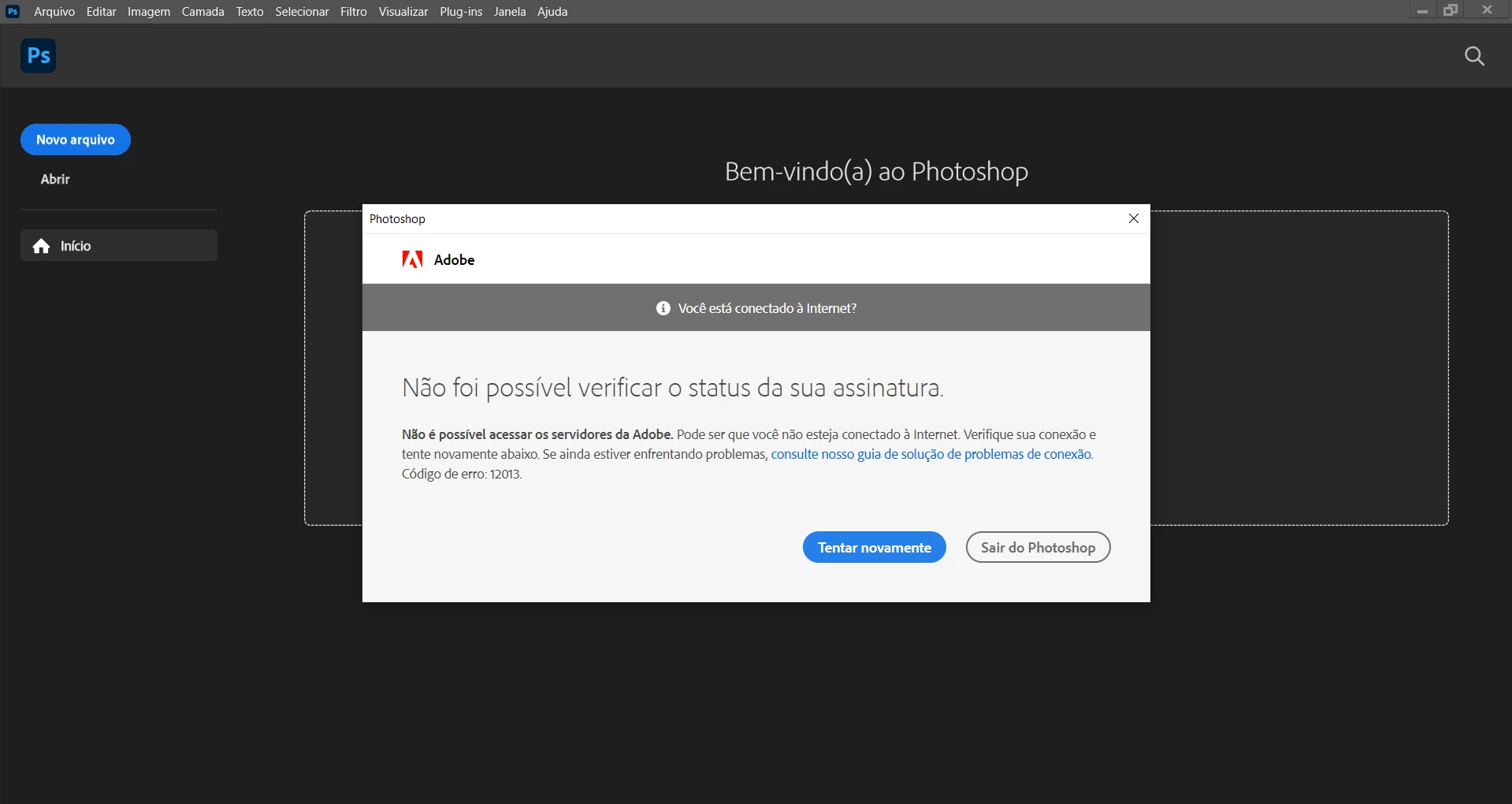
Estou tendo dificuldades para resolver esse erro, ao abrir o app aparece a notificação abaixo. Ja reinstalei o aplicativo, desloguei e loguei novamente. Nada resolveu até o momento.


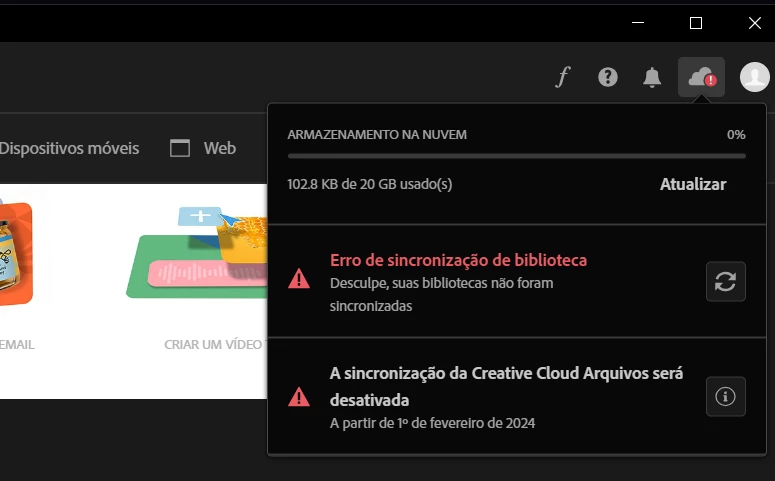
Tambem esta aparecedendo essas notificações no criative cloud.


5 replies

Participant
January 3, 2025

antes de tudo, feche todos os processos da adobe e creative cloud logo depois - Execute o bloco de notas como ADM e abra o arquivo (horts) no local C:\Windows\System32\drivers\etc 

apague tudo o que está relacionado a adobe e salve

Participant
April 25, 2024

Estou tendo o mesmo problema! Inclusive não consigo usar o preenchimento generativo porque dá erro de conexão.

kglad
Community Expert
Community Expert
April 25, 2024

contact adobe support. there are 2 ways to contact adobe; chat and twitter (now x):

chat:
if you have or want to purchase a subscription, use a browser that allows popups and cookies
and click here, https://helpx.adobe.com/contact.html?rghtup=autoOpen
in the chat field (lower right), type AGENT
be patient, it can take quite a while to reach a human.

twitter/x:
tweet @AdobeCare

p.s. if you're contacted by anyone (via email or private message), it's much more likely to be a scammer than an adobe representative.

kglad
Community Expert
Community Expert
January 12, 2024
first, update your os and then restart your computer. 
 
if that fails, and you have a mac, grant disc access to your cc desktop app - system preferences > security & privacy > privacy > full disk access > cc desktop app (in the midst of this step if you see an alert about granting cc libraries disk access, allow it and you're dont)
 
if that fails proceed to the following steps: 
 
 
  1. quit all Adobe related products
  2. kill all the CCLibraries processes in task manager (win)/activity montor (mac).
  3. Delete all folders that start with “CC_LIBRARIES_PANEL_EXTENSION_xx_xx_xx” in this location*
  4. Follow the steps of Solution 2 in this article: https://helpx.adobe.com/creative-cloud/kb/libraries-panel-not-working.html 
  5.  
*
WIN: C:\Program Files (x86)\Common Files\Adobe\CEP\extensions
MAC: Macintosh HD⁩ ▸ ⁨Library⁩ ▸ ⁨Application Support⁩ ▸ ⁨Adobe⁩ ▸ ⁨CEP⁩ -> extensions 
kglad
Community Expert
Community Expert
January 12, 2024

in the future, to find the best place to post your message, use the list here, https://community.adobe.com/

p.s. i don't think the adobe website, and forums in particular, are easy to navigate, so don't spend a lot of time searching that forum list. do your best and we'll move the post (like this one has already been moved) if it helps you get responses.


<"moved from using the community">
Participant
January 12, 2024

Não consigo visualizar meu plano tambem, no próprio site do Adobe.