


Participating Frequently
Apr 28, 2022 3:03 AM UTC
Answered

Errors in Portfolio Live Site Display

Hi there.  I am noticing a bit of an issue in how my Adobe Portfolio live site displays.


I created my website and made numerous Page and Collections additions.  In order to keep all formatting consistent, I have often copied and duplicated these and then re-named them for their own original content.


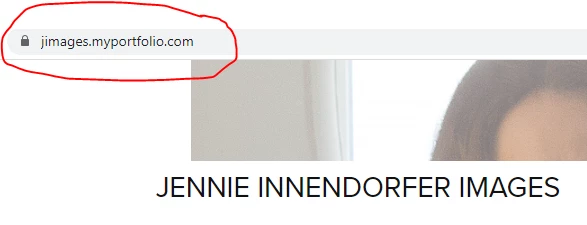
Home Page (this is correct):
Misc Collections (this is correct):
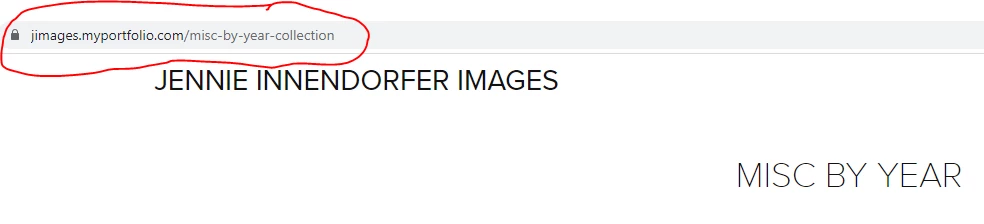
However, I see on my live site, the name of these new pages/collections in the web search bar are named as copies of the page or collection I copied from, and not the new page/collection as I have renamed it.


Example of a Display Error:
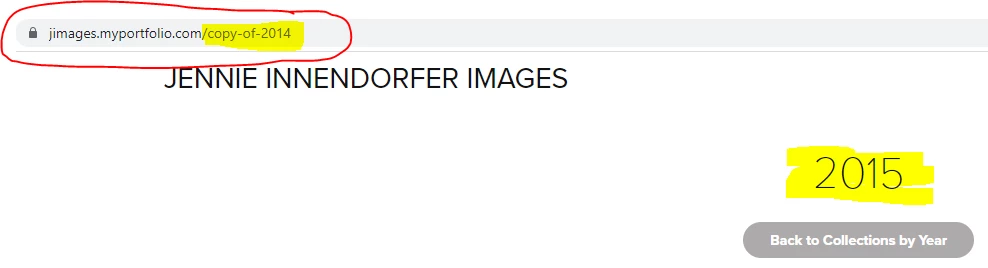
 

You can see that this particular collection is named 2015, but in the web search bar it shows "copy of 2014" from which I copied the new collection, renamed it, and gave its own original content.


This is just one example, but my website is doing this for pretty much all the pages and collections on my site.


What can I do to fix this, and have all the website pages correctly reflect the page and collection a viewer is on?


Any help is greatly appreciated!

Jennie Innendorfer

    This topic is closed to new replies. Start a new post to keep the conversation going.
    Nancy OShea
    Nancy OSheaCorrect answer
    Community Expert
    Apr 28, 2022 11:24 PM UTC

    See how to rename pages.  And how to rename URLs


    More Portfolio Links:
    - FAQ & Knowledgebase for product help - https://help.myportfolio.com/hc/en-us
    - Contact Portfolio Support for technical help - https://help.myportfolio.com/hc/en-us/requests/new?ticket_form_id=177168
    - Adobe UserVoice for feedback & bug reports - https://helpx.adobe.com/x-productkb/global/how-to-user-voice.html


    Nancy O'Shea— Product User & Community Expert

    1 reply

    Nancy OShea
    Community Expert
    Nancy OSheaCommunity ExpertCorrect answer
    Community Expert
    Apr 28, 2022 11:24 PM UTC

    See how to rename pages.  And how to rename URLs


    More Portfolio Links:
    - FAQ & Knowledgebase for product help - https://help.myportfolio.com/hc/en-us
    - Contact Portfolio Support for technical help - https://help.myportfolio.com/hc/en-us/requests/new?ticket_form_id=177168
    - Adobe UserVoice for feedback & bug reports - https://helpx.adobe.com/x-productkb/global/how-to-user-voice.html


    Translate
    Nancy O'Shea— Product User & Community Expert