

Errors when saving files with Illustrator and Photoshop on Adobe Creative Cloud
When using Illustrator CC and Photoshop CC, I always save my files onto the "Creative Cloud Files" folder located on my work desktop so that I can access all of my work from my iPhone or on my laptop at home.
The issue I'm having just began in the last week, where it says I cannot save files when I'm saving to the Creative Cloud Files folder; because... "file is already in use," "you don't have permission to modify files in this network location" or "could not write the file. an assertion has failed."
Below are the error messages I receive when attempting to save files using "Save" , "Save as..." or "Export-->Save for Web (Legacy)."
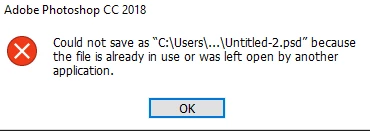
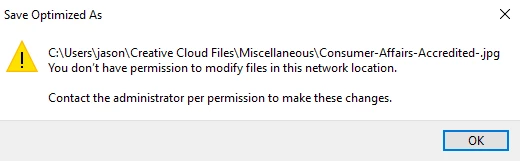
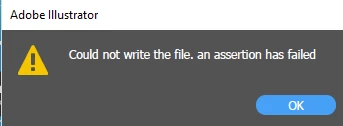
- I don't have these files open anywhere else.
- No permissions have changed in this network location to cause this problem (to mine or my IT Director's knowledge).
I have done these things to troubleshoot so far...
1. I've updated Illustrator, and Photoshop then restarted my computer
2. I've uninstalled then reinstalled Illustrator and Photoshop
3. I've asked my IT Director to double check network permissions; nothing has been found on his end that might prevent me from saving files
4. I've read through forums and understand this problem has shown up for other users. They were directed to change their workflow so that they would have to save to a local disk, then move the files manually to their creative cloud folders. This is incredibly frustrating, tedious and inefficient especially when I'm creating things almost all day, every day - and have been doing so for months without any significant issues.
What do I do to resolve this?
Is there somewhere I can modify permissions in this network location?
Did something change after a recent update?
Please help! ...and thank you in advance if you have any ideas.


 AdChoices