
Participant
August 1, 2021
Answered

External link on Adobe portfolio is not working

  • August 1, 2021
  • 2 replies
  • 3200 views

Dear Adobe Support, 


I am very pleased with Adobe Portfolio. However, I encounter a problem. I add an external link on a word in a page as below. But it turns out error.

For example:
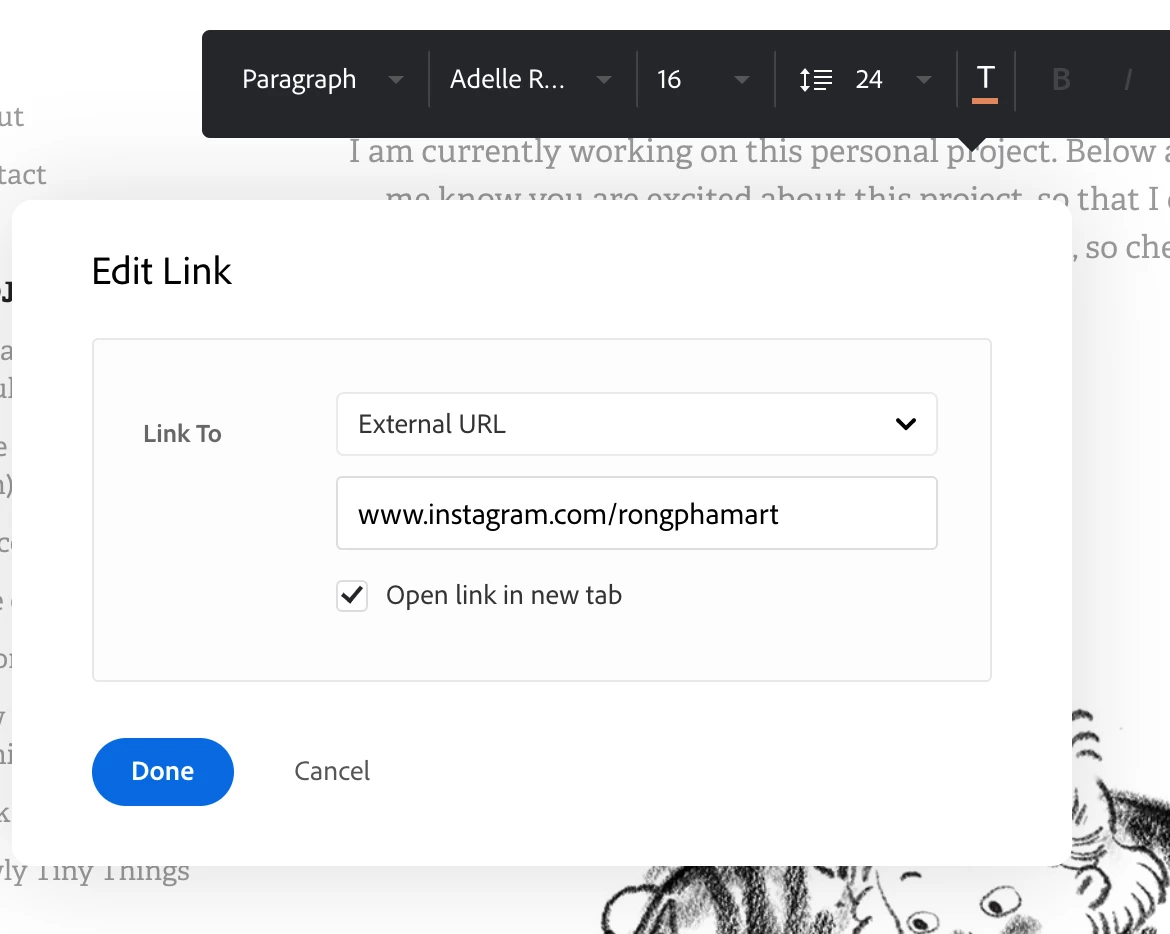
 The error

It appeared to include the original website address in the external link. How can I solve this problem?

The error link is on this page: https://rongpham.com/update-on-alice-in-wonderland 


Thank you!

This topic has been closed for replies.
Correct answer vuon.illustration

Thank you @John T Smith 

I have figured out the problem. 

The external that starts with www. doesn't work. Starts with https:// instead and it would work!

2 replies

vuon.illustrationAuthorCorrect answer
Participant
August 1, 2021

Thank you @John T Smith 

I have figured out the problem. 

The external that starts with www. doesn't work. Starts with https:// instead and it would work!

Nancy OShea
Community Expert
Community Expert
August 7, 2021

Glad you were able to sort it out on your own.


========
While Adobe Portfolio does not have its own community forum, most PF users find help in LR, LR Classic or Creative Cloud Services. And there is a rather extensive FAQ & Knowledgebase as well as a dedicated Portfolio Support team to assist users with technical matters. Portfolio on Adobe UserVoice is for posting feedback and feature requests. See links below.


Hope that helps.


Nancy O'Shea— Product User & Community Expert
John T Smith
Community Expert
Community Expert
August 1, 2021

Sorry, no forum here... unless some other Portfolio user see this and has an answer
See Employee Dave's reply in this link of information "Portfolio team asked us to close up shop here"
-https://community.adobe.com/t5/download-install/is-portfolio-still-being-developed/td-p/11583268?page=1