
Question
File syncing problem
Every time I load Lightroom I get the warning below. Then when I cklick the arrows all seems ok. How do I stop it appearing all the time? I am running Sonoma OS on a iMac.
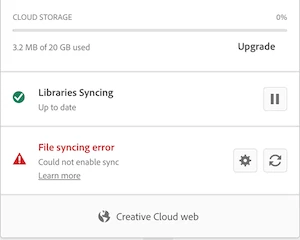
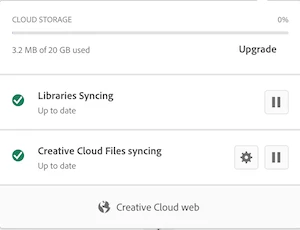

Every time I load Lightroom I get the warning below. Then when I cklick the arrows all seems ok. How do I stop it appearing all the time? I am running Sonoma OS on a iMac.
Already have an account? Login
No account yet? Create an account
Enter your E-mail address. We'll send you an e-mail with instructions to reset your password.


 AdChoices