
Participant
April 23, 2021
Answered

Files I store on Adobe Creative Cloud appear on my hard drive in a folder "Creative Cloud Files"

  • April 23, 2021
  • 2 replies
  • 5213 views

I moved some things onto my Adobe Creative Cloud storage, wanting to free up space on my hard drive. I noticed that everything I moved there also appears under a folder called "Creative Cloud Files", which seems to be taking up space on my hard drive. If I delete the files from this folder, will they also delete from the cloud? How do I just store those files on the cloud and not my hard drive?

Thanks for the help!
This topic has been closed for replies.
Correct answer David__B

Hi CassidyL.


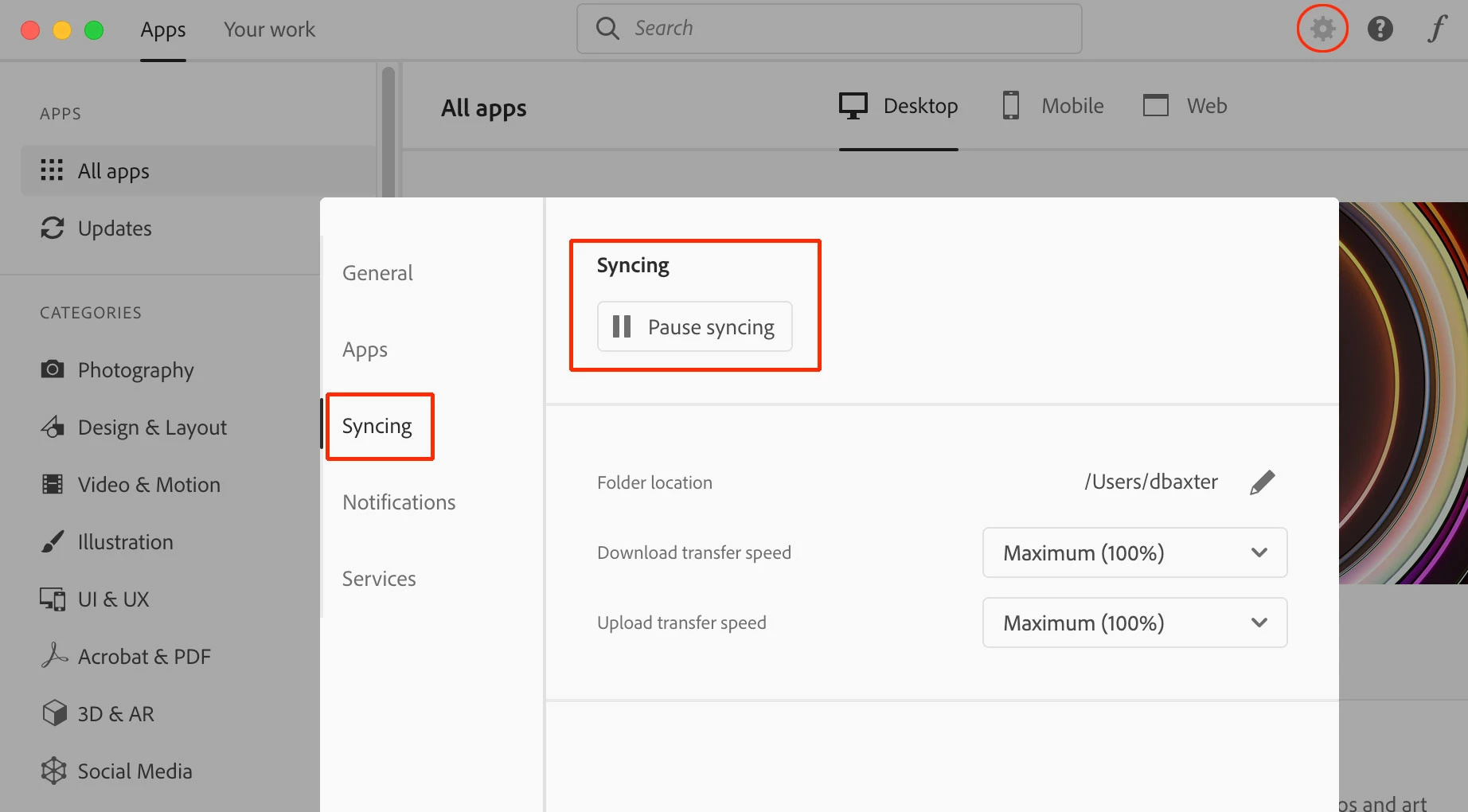
If you pause sync in the Creative Cloud app preferences files can be removed from the Creative Cloud Files folder on your computer and will stay available online at https://assets.adobe.com/files. Just be careful to keep sync paused. The only times I've seen it become unpaused if it you reinstall the Creative Cloud desktop app itself.


Hope that helps,

- Dave

2 replies

David__B
Adobe Employee
David__BCorrect answer
Adobe Employee
April 23, 2021

Hi CassidyL.


If you pause sync in the Creative Cloud app preferences files can be removed from the Creative Cloud Files folder on your computer and will stay available online at https://assets.adobe.com/files. Just be careful to keep sync paused. The only times I've seen it become unpaused if it you reinstall the Creative Cloud desktop app itself.


Hope that helps,

- Dave

CassidyL.Author
Participant
April 26, 2021

Thank you!!

Inspiring
April 23, 2021

It's a sync folder, it does not really move anything to the cloud, it syncs up with the cloud.

CassidyL.Author
Participant
April 23, 2021

What if I want to only store the files on the cloud, not the hard drive?