
Files Stopped Syncing
I received early access to the font and file syncing service from CC a couple days ago. I began moving a lot of my files over to the Creative Cloud folder and they began syncing just fine.
Last night, after a restart, I noticed that the files stopped syncing for an unknown reason. I still have my 'Clients' folder in my Creative Cloud Files folder, however the desktop app is giving me the generic window of "To start saving files to Creative Cloud..." window even though I do have files in my CC folder. See screenshot attached. It clearly shows that I do have a big folder and one JPG image in the CC files folder.
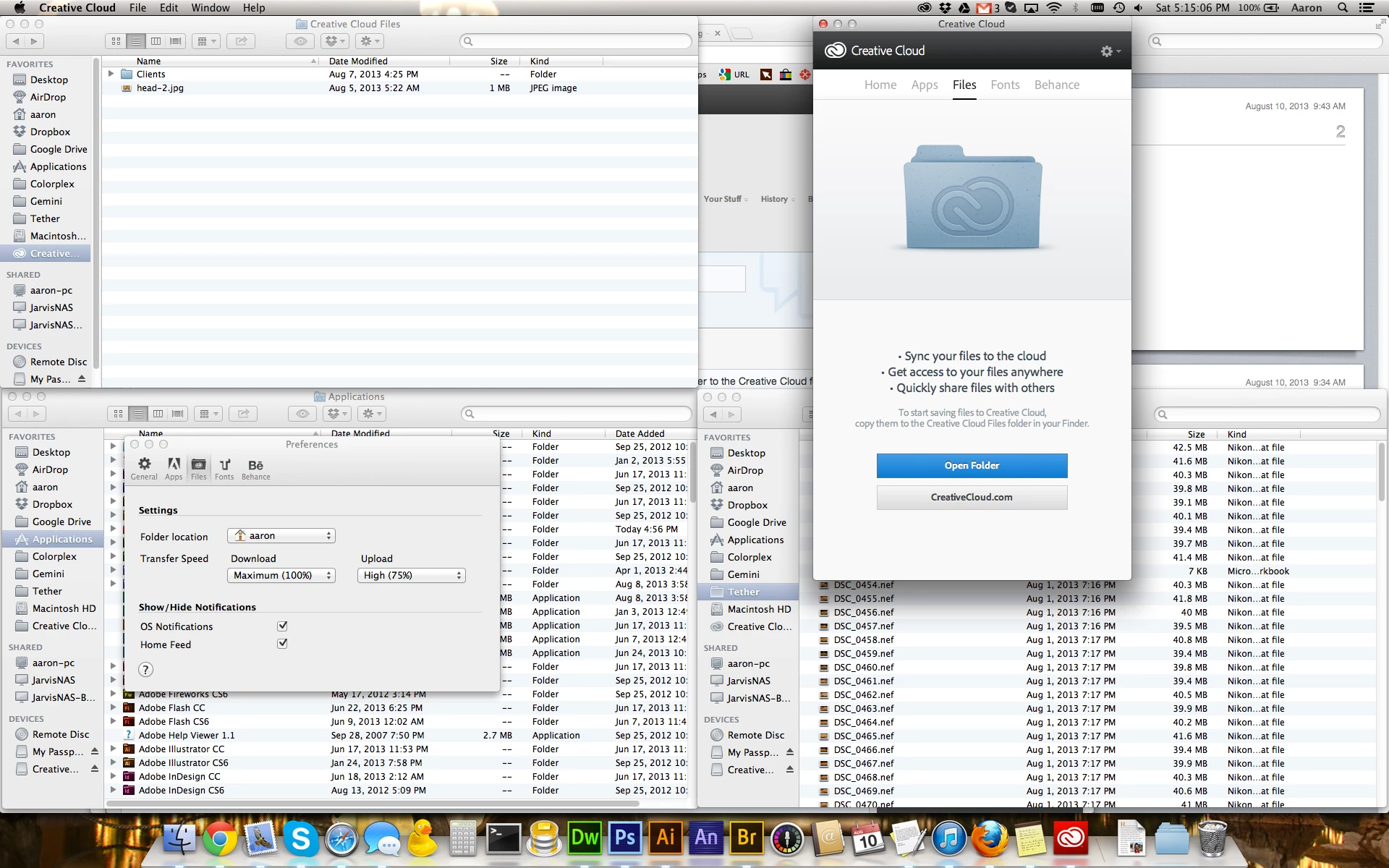
One thing I did notice is that if I go to the Preferences -> Files tab, it shows my Folder Location as my home directory, and not the CC Files folder. I have tried several times to change the Folder location to the CC files folder, however every time I do I'm prompted with a Move dialog and when I click on Move, the popup turns black and says "Moving Creative Cloud File Folder..." but after completion my Files Folder resorts back to my OS X Home directory. I'm not sure if that's right or not.
I have no idea what is going on here and why it just all of the sudden stopped working.
Another issue that may or may not be related is the fonts. I can successfully go to the fonts tab, click Browse fonts on typekit and install fonts from the web, however my Fonts tab in the CC desktop app still shows the generic "welcome" message, even though I see those fonts installed in programs like Photoshop, Illustrator, etc.
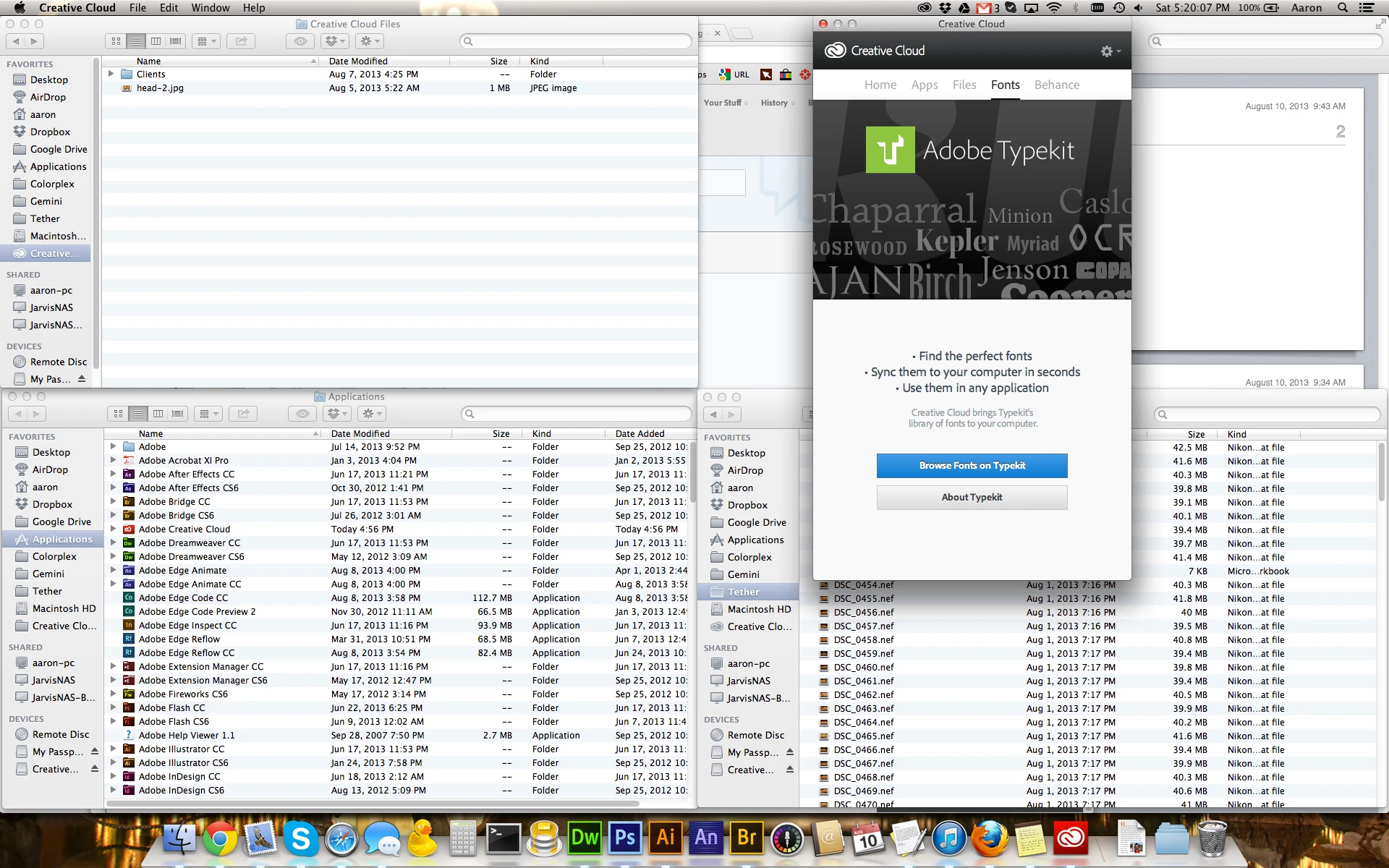
I should also note that I did uninstall and reinstall the desktop app and restarted the computer a few times to no avail.
Is this maybe a bug in the CC Desktop app?
Thanks -


 AdChoices