
Participant
May 26, 2021
Question

Files synchronized to the cloud cannot be deleted.

  • May 26, 2021
  • 1 reply
  • 376 views


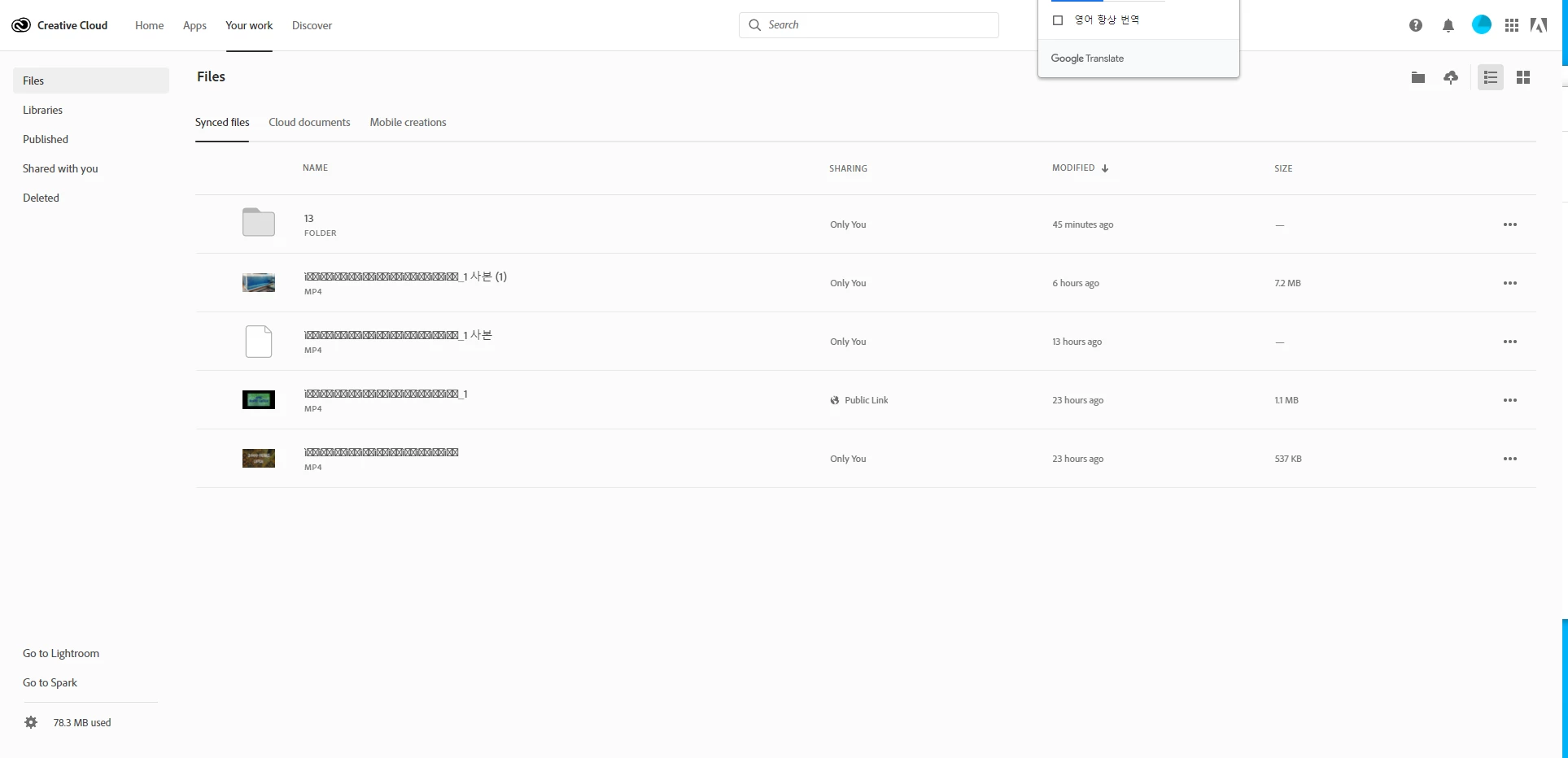
Synchronized files exist on the cloud web page, but cannot be deleted, moved, or renamed.

The pc says it is still synchronizing, only some files are synchronized, and files that are not deleted are not synchronized.

Is there a way to delete this non-deleted file from the cloud web page?
Or is there a way to initialize cloud storage?

I think the file name is a problem, what is the solution?
This topic has been closed for replies.

1 reply

kglad
Community Expert
Community Expert
May 27, 2021

open your cc desktop app>click file>preferences>synching>pause synching.


in your local (until paused/stopped) sync folder move all the files you want to keep and then delete all files from that previously synched local folder.


open your cc folder at adobe.com and retry deleting the files.  if successful, delete from the trash too.


once you've deleted the problematic files, return the files that you want to sync back to your local sync folder and unpause synching in your cc desktop app preferences.


Participant
May 28, 2021

Thank you for your answer.

I proceeded with the method you told me, but the symptoms have not changed.

Also, the problematic files are not synchronized in the pc, and I deleted all the files in the local folder.

kglad
Community Expert
Community Expert
May 28, 2021

using a browser that allows popups and cookies, contact adobe support during pst business hours by clicking here, https://helpx.adobe.com/contact.html

click contact us (= cryptic icon in the lower right)

in the chat field, type AGENT
be patient, it can take quite a while to reach a human