
Participating Frequently
July 22, 2020
Answered

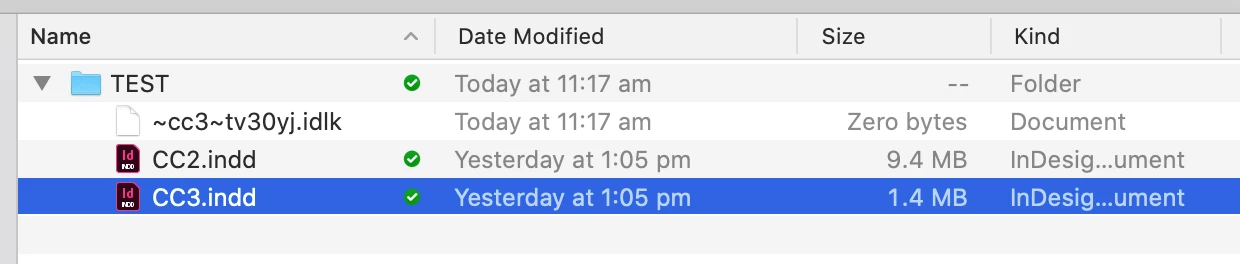
Hidden files (.idlk) wont sync causing conflicts.

  • July 22, 2020
  • 1 reply
  • 274 views

Creative Cloud doesn't sync Indesign's own .idlk hidden files, so multiple users can have the same document open on the cloud, without the other person knowing, creating a ton of conflict files.
 

This topic has been closed for replies.
Correct answer Manan Joshi

Creative Cloud syncs only files that are not in use, .idlk files are destroyed as soon as the InDesign file is closed. So as per the documentation you should neither expect it to sync nor depend upon it to design your collaboration workflow. See the section on close files in the following link for more details

https://helpx.adobe.com/creative-cloud/kb/arent-my-files-syncing.html


-Manan

1 reply

Manan JoshiCommunity ExpertCorrect answer
Community Expert
July 22, 2020

Creative Cloud syncs only files that are not in use, .idlk files are destroyed as soon as the InDesign file is closed. So as per the documentation you should neither expect it to sync nor depend upon it to design your collaboration workflow. See the section on close files in the following link for more details

https://helpx.adobe.com/creative-cloud/kb/arent-my-files-syncing.html


-Manan

-Manan