



aNveSh_IN
Participant
March 20, 2026
Answered

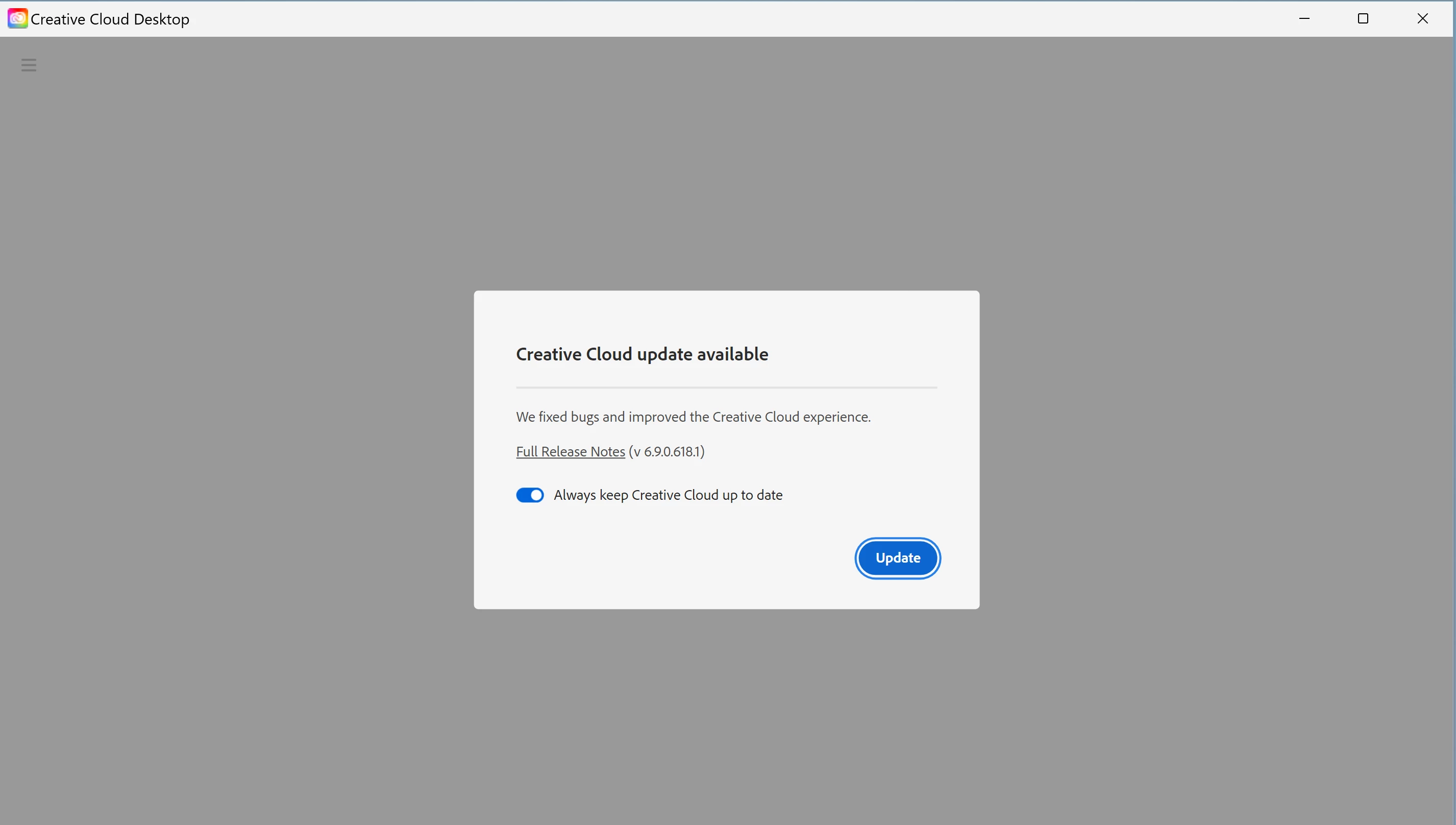
How can I disable this update popup. I dont want auto update nor the popup kindly please help me
  • March 20, 2026
  • 2 replies
  • 86 views

How can I disable this update popup. I tried editing registries too, but it is not working can someone help me here please. Currently I am on 6.8.1.865 version

    Correct answer jane-e

    @aNveSh_IN wrote: “How can I disable this…?


    @kglad answered: disable it


    Try clicking the button to the left of “Always keep CC up to date” to turn it off.


    Jane


    2 replies

    Tarun Saini
    Community Manager
    Community Manager
    March 23, 2026

    Hi ​@aNveSh_IN,


    Thanks for reaching out! In addition to what ​@jane-e mentioned, if you’d prefer not to receive app update notifications, go to File > Preferences > Notifications and uncheck the App updates option.


    Regards,

    Tarun

    kglad
    Community Expert
    Community Expert
    March 20, 2026

    disable it.

    jane-e
    Community Expert
    jane-eCommunity ExpertCorrect answer
    Community Expert
    March 22, 2026

    @aNveSh_IN wrote: “How can I disable this…?


    @kglad answered: disable it


    Try clicking the button to the left of “Always keep CC up to date” to turn it off.


    Jane


    kglad
    Community Expert
    Community Expert
    March 22, 2026

    click the button to disable the setting in your screenshot