Participant
March 31, 2021
Answered

How can you reschedule the Creative Cloud app update process permanently?

  • March 31, 2021
  • 1 reply
  • 277 views

The Creative Cloud Services update process absoultely kills my machine when it's running. My screen flickers multiple times the PC becomes unresponsive to the mouse and keyboard (extreme lag). I have a fairly powerful PC ( i9-9900K, 64 GB RAM) and it amazes me how this process just kills my machine.


Is there anyway to reschedule this task to run off hours to prevent interuptions in my productivity? I cannot find any process in the Task Scheduler related to this and I cannot find any setting in preferneces other than to turn auto updates off.


Any help is appreciated.
This topic has been closed for replies.
Correct answer kglad

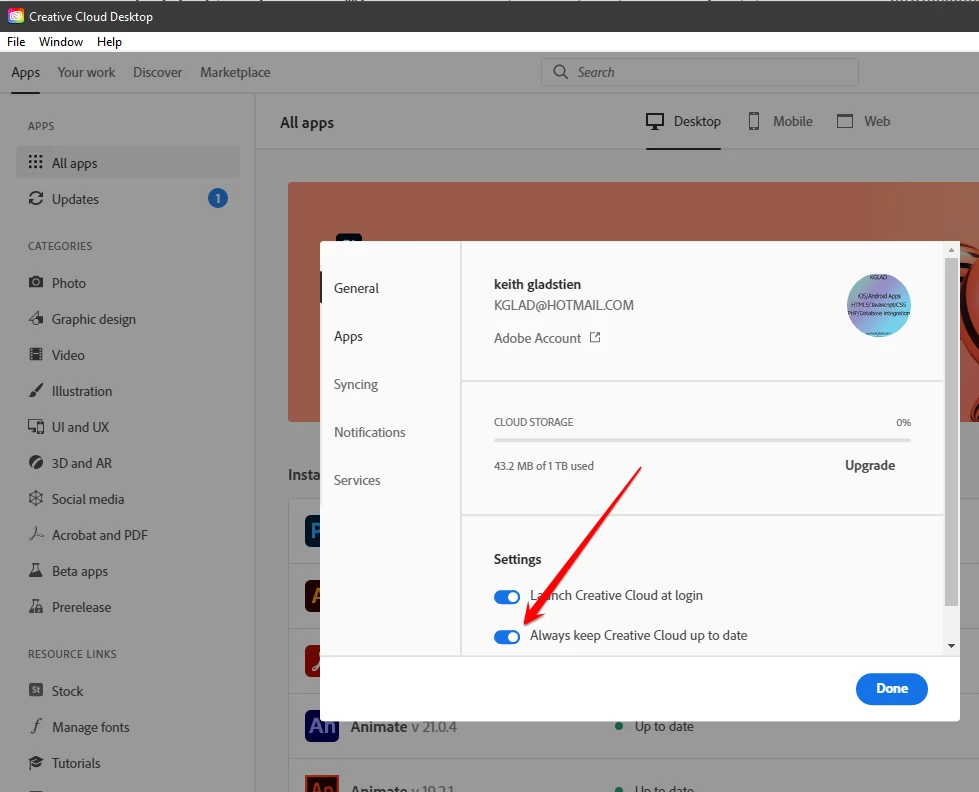
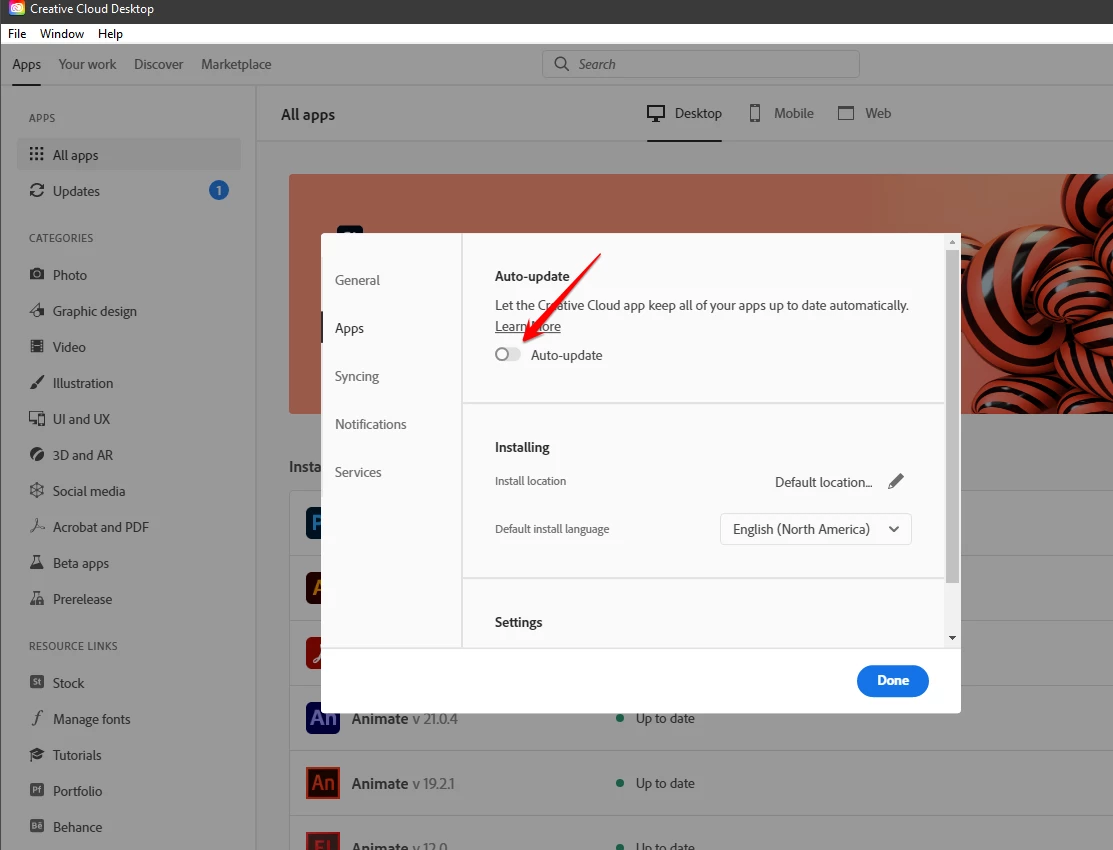
there's no scheduling inherent to the cc desktop app but you can disable* auto-updates and then, after you're notified updates are available and you can take a computer break, update your apps.


* file>preferences>apps>updates


if you want to disable the cc desktop app's auto-update,  file>preferences>general>


1 reply

kglad
Community Expert
kgladCommunity ExpertCorrect answer
Community Expert
March 31, 2021

there's no scheduling inherent to the cc desktop app but you can disable* auto-updates and then, after you're notified updates are available and you can take a computer break, update your apps.


* file>preferences>apps>updates


if you want to disable the cc desktop app's auto-update,  file>preferences>general>