


Participant
May 23, 2022
Answered

How do I backup all my files from the cloud to my local PC?
  • May 23, 2022
  • 3 replies
  • 23786 views

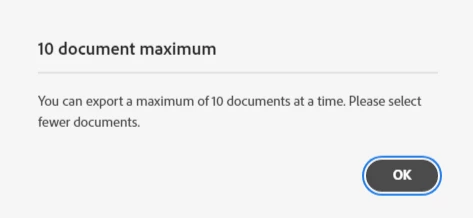
Is there a faster way to download all of my documents in the creative cloud at once? I've got over 200+ projects in here I really don't want to manually select 10 and waste time over this.

Correct answer kglad

in some locations, you may need to download the individual files.

3 replies

social_Enchantment5CB5
Participating Frequently
February 7, 2025

Yeah none of this works anymore, they don't want you to have a way to get files out of cloud storage:

Note: Starting December 11, 2023, new users and organizations will not be entitled to Creative Cloud Synced files. Starting February 1, 2024, Creative Cloud Synced files will be discontinued for personal accounts that existed before December 11, 2023 (learn more here). Starting October 1, 2024, Creative Cloud Synced files will be discontinued for business accounts associated with organizations that existed before December 11, 2023 (learn more here).
kglad
Community Expert
Community Expert
February 7, 2025

@social_Enchantment5CB5 


the cc sync folder files were always local files that sync'd to adobe's servers. when the sync folder eol arrived, the local files remained and the online ones were deleted. ie, it never made sense to download cc sync folder files because they were already on your computer.

Nancy OShea
Community Expert
Community Expert
May 25, 2022

Your files should already be on your PC with copies stored on Creative Cloud storage.  The exceptions are Spark and Portfolio sites.


Creative Cloud Assets https://assets.adobe.com
- Synced files
- Cloud documents
- Deleted files

Lightroom https://lightroom.adobe.com
- Photos
- Albums
- Edited files
- Imported files
- Deleted files

Document Cloud https://documentcloud.adobe.com
- All documents
- Starred files
- Shared files

Creative Cloud Express (formerly called Spark) https://spark.adobe.com
- Projects
- Brand files
- Graphics
- Web pages
- Videos

Nancy O'Shea— Product User & Community Expert
Participant
May 17, 2025

Thank you for this! It's under users-creative cloud

Tarun Saini
Community Manager
Community Manager
May 23, 2022

Hi there,


Thanks for reaching out. I would like to inform you that on your computer you have a Creative Cloud files folder where all your cloud files are synced on the local machine.


Also, if you want to download all of your files from the Creative Cloud via the Creative Cloud Desktop Application. Please follow the below-mentioned steps:-

1. From the Creative Cloud Desktop Application, go to files.

2. Change the view to list mode from the bottom left corner.

3. Select the first file then, press & hold the SHIFT button, and scroll down to select the last file.

(All files should appear highlighted)

4. Click on Download from the three dots.


Let us know if that helps.


Regards,

Tarun

Participant
November 20, 2023

Hello team, 


I followed the steps but could not download the second folder from the list.


I am sharing it with you.


Best regards.

kglad
Community Expert
kgladCommunity ExpertCorrect answer
Community Expert
November 20, 2023

in some locations, you may need to download the individual files.