


Participant
October 24, 2025
Question

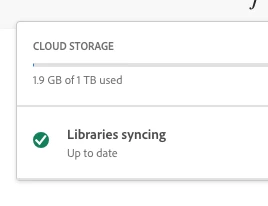
How do I disable syncing of libraries?

  • October 24, 2025
  • 2 replies
  • 9381 views

I've already disabled it once in the past as the files were clogging up room on my hard drive... I've checked again a few months later and the files are syncing again.


There no longer appears to be a pause button, has this feature been removed?
 

2 replies

Participant
October 25, 2025

Literally having this same problem. As a graphic designer part time, I'm using Photoshop and Illustrator every day and I have to review the Cookies + Containers in my Finder Library (On Apple Mac) every week because of this syncing issue that can no longer be paused. It's infuriating. 

Participant
October 25, 2025

I did find one article hidden in the depths of Google that said to "disable through System Preferences -> Extensions -> Core Sync -> Finder Extension (uncheck)." I did that so we'll see if it works!

kglad
Community Expert
Community Expert
October 25, 2025

@k_8522 


thanks for that info, and please update this with your results when ready.

kglad
Community Expert
Community Expert
October 24, 2025

yes.