
Participant
February 24, 2022
Answered

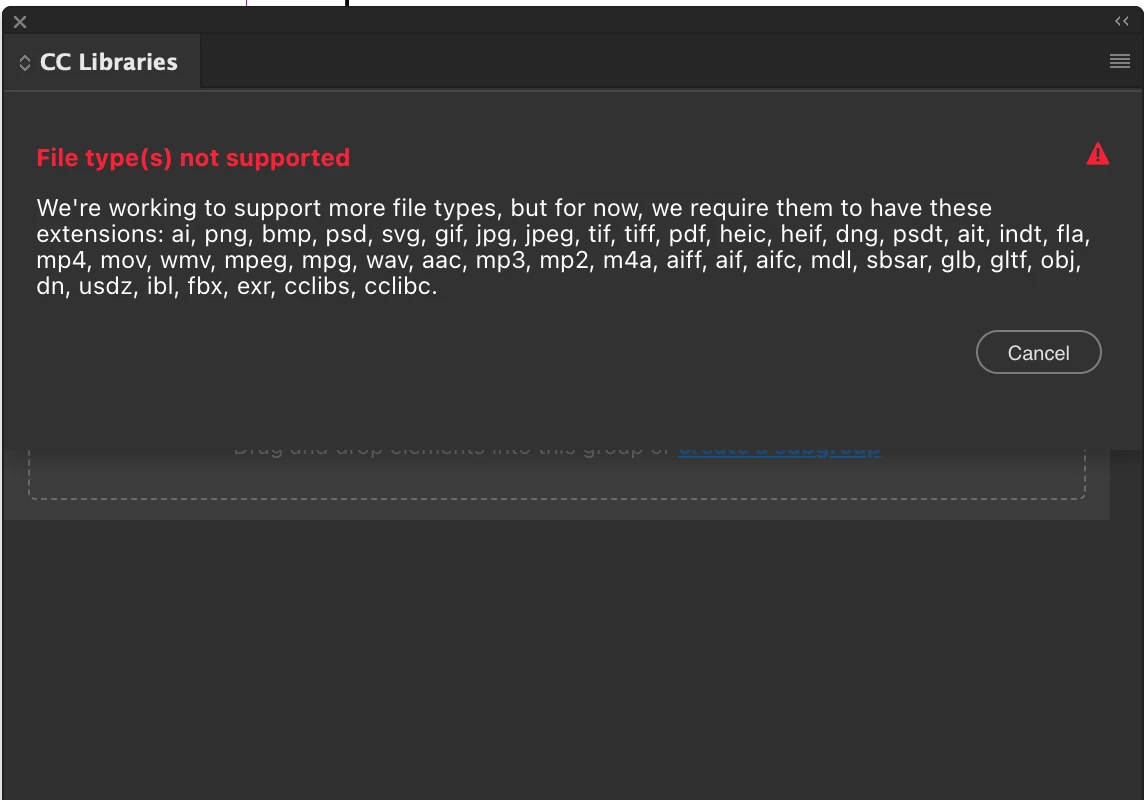
How how HOW are .eps not supported in CC Libraries?

  • February 24, 2022
  • 3 replies
  • 2713 views

I'm creating CC Libraries for my comanies clients and to be honest  I'm completely dumbfounded as tro wht .eps files are not supported. I've been in commercial markerting and advertising for 20 years and every agency I have ever worked using .eps files for logos and graphics for print work.


I really need to hear the justification for this omision.  
 

This topic has been closed for replies.
Correct answer Nancy OShea

If EPS is all you have and you don't wish to convert them all to .AI files, don't use Libraries.

Instead, create a shared folder in your Creative Cloud storage.

https://helpx.adobe.com/creative-cloud/help/collaboration.html


Below is a batch converter for EPS to AI.  However I've never used it.

https://www.reaconverter.com/convert/eps_to_ai.html


If you ask in the Illustrator community, fellow users there might have other recommendations.

https://community.adobe.com/t5/illustrator/ct-p/ct-illustrator


3 replies

Nancy OShea
Community Expert
Community Expert
April 28, 2022

Due to it's inherent limitations and lack of support for ICC color profiles, almost nobody uses EPS files anymore.  I haven't used EPS in production work for more than a decade.

https://www.vektorgarten.de/eps-file-format-zombie.html


Nancy O'Shea— Product User & Community Expert
Participant
April 29, 2022

Appreciate the info, Nancy! Do you (or does anyone) happen to have any suggestions for how to switch .eps to a .ai without opening each one and doing a "Save As"? Unfortunately, I'm working with a library of pre-designed content and this is the format it's delivered in, however, I'd like to make it available to my team via the libraries for ease of use. 

Nancy OShea
Community Expert
Nancy OSheaCommunity ExpertCorrect answer
Community Expert
April 29, 2022

If EPS is all you have and you don't wish to convert them all to .AI files, don't use Libraries.

Instead, create a shared folder in your Creative Cloud storage.

https://helpx.adobe.com/creative-cloud/help/collaboration.html


Below is a batch converter for EPS to AI.  However I've never used it.

https://www.reaconverter.com/convert/eps_to_ai.html


If you ask in the Illustrator community, fellow users there might have other recommendations.

https://community.adobe.com/t5/illustrator/ct-p/ct-illustrator


Nancy O'Shea— Product User & Community Expert
Participant
April 28, 2022

Did you ever receive support for this issue? I'm dealing with the same issue and staring down the barrel of opening and re-saving hundreds of .eps icons (the industry standard) so that I can upload to a corporate library.... thanks! 

kglad
Community Expert
Community Expert
February 24, 2022

you can open an eps file (with eg, ai) and you can save as an eps file (with eg, ai).


the cc library is intended to hold assets you would import into a cc program (eg, ai).


if you want to share an eps file, add it to your sync folder:


more info:


eps files and adobe, What are EPS files and how do you open them? | Adobe


cc library, Types of files and formats you can add to Creative Cloud Libraries (adobe.com)