

paulacatherine
Known Participant
December 18, 2020
Question

how to change the welcome screen banner image

  • December 18, 2020
  • 4 replies
  • 414 views

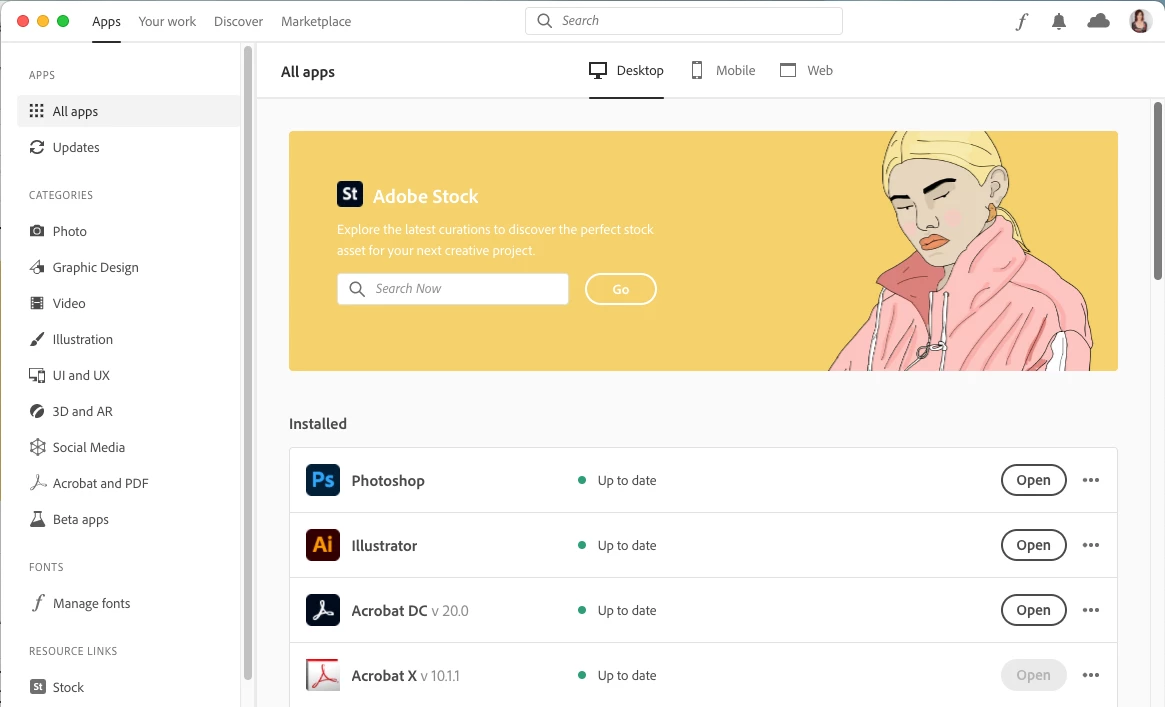
Is there any way to change the hideous and long-suffering image of the frowning blond on the Creative Cloud welcome screen?


Her unwelcome visage has graced my Mac every day for too many months. As if things haven't been unpleasant enough for the last year, seeing her ever-present scowl is not inspiring nor uplifting.


If there is a way, please let me know.


Thank you!


Paula


This topic has been closed for replies.

4 replies

Participant
January 10, 2022

The same depressingly miserable image appears on my screen aswell... literally makes me not want to use CC.  Did you ever figure out how to change the image?


paulacatherine
Known Participant
December 20, 2020

I must have done something pretty terrible in that past life!

The unhappy image displays on my desktop app and in all browsers. 

I am also using ACC version 5.3.1.470.

I'm grateful this is the extent of my worries today.

Thanks for your replies.

Paula


Nancy OShea
Community Expert
Community Expert
December 20, 2020

Try clearing your browser's cached data.


Nancy O'Shea— Product User & Community Expert
Nancy OShea
Community Expert
Community Expert
December 19, 2020

I'm seeing the same as @kglad.  Maybe you just need to update your Creative Cloud desktop app.  I'm on ver 5.3.1.470.


Nancy O'Shea— Product User & Community Expert
kglad
Community Expert
Community Expert
December 19, 2020

you must have done something bad in another life to see that;


but no, i don't think there's a way for users to control that image.