Participant
September 18, 2023
Answered

How to create line break in Adobe Portfolio Page Title ("page info" page)

  • September 18, 2023
  • 2 replies
  • 2634 views

I want to the title of one of my pages on my site to be split into two lines. The first line would say "PROJECT" and under that would say "(in progress)". However, the field is a single line, and somehow the program decides where to split the sentence. It does not allow a hard or soft return. So in my case, it reads "PROJECT (in" on the first line and then "progress)" on the second line. If I add spaces, it does not help.


Any suggestions?
This topic has been closed for replies.
Correct answer Nancy OShea

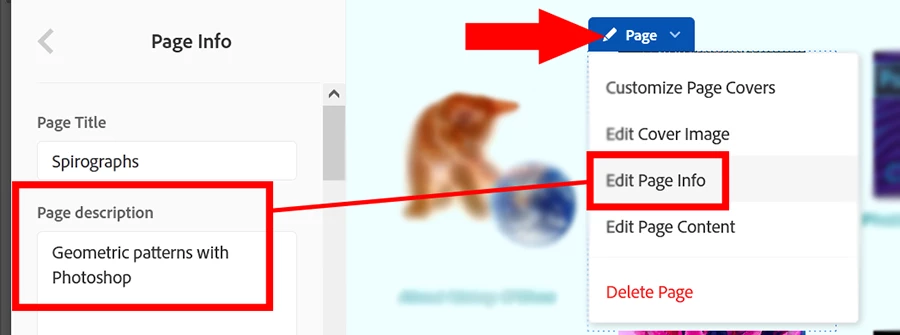
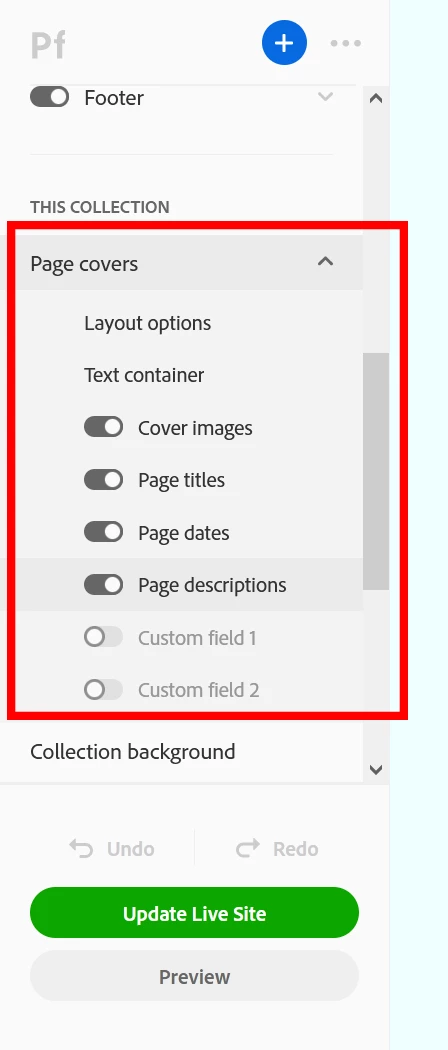
Use Page Descriptions in your Page Header.

https://help.myportfolio.com/hc/articles/360036418954-Adding-and-editing-page-headers-


Scroll down to Page Covers and expand to reveal more options. See screenshots.


Edit Page Info.


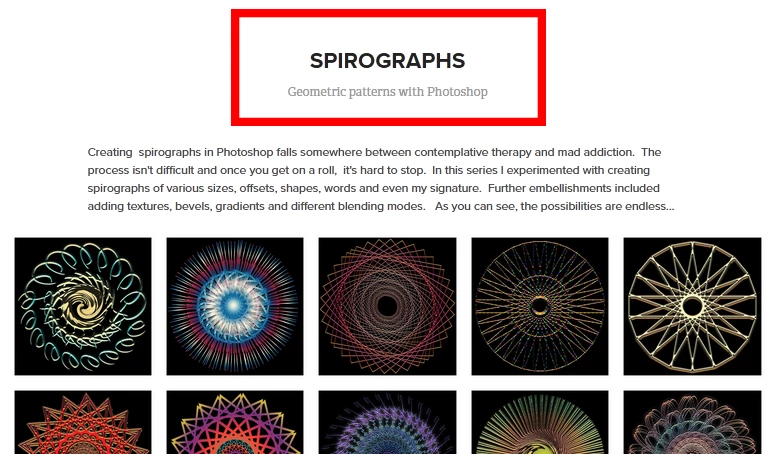
Title appears on first line, description appears below it.  IMO, this should be more aptly named a sub-title because that's what I use it for.  


Hope that helps.


2 replies

Nancy OShea
Community Expert
Nancy OSheaCommunity ExpertCorrect answer
Community Expert
September 19, 2023

Use Page Descriptions in your Page Header.

https://help.myportfolio.com/hc/articles/360036418954-Adding-and-editing-page-headers-


Scroll down to Page Covers and expand to reveal more options. See screenshots.


Edit Page Info.


Title appears on first line, description appears below it.  IMO, this should be more aptly named a sub-title because that's what I use it for.  


Hope that helps.


Nancy O'Shea— Product User & Community Expert
Participant
September 20, 2023

Nancy, this did the trick perfectly, thank you so much for your help! 


PS I wish there were a community forum specifically for Portfolio. 

Nancy OShea
Community Expert
Community Expert
September 20, 2023

Good, I'm glad it worked for you.


There was a Portfolio Community a few years ago.  But Adobe's decision makers shut it down so we use this one now— Creative Cloud Services.


I also field questions on Reddit. 😁

https://www.reddit.com/r/Adobe/


Nancy O'Shea— Product User & Community Expert
kglad
Community Expert
Community Expert
September 18, 2023