
Participant
November 29, 2023
Question

I can't share files, how something that simple cannot be possible ?!?!?!?!?!?

  • November 29, 2023
  • 1 reply
  • 372 views

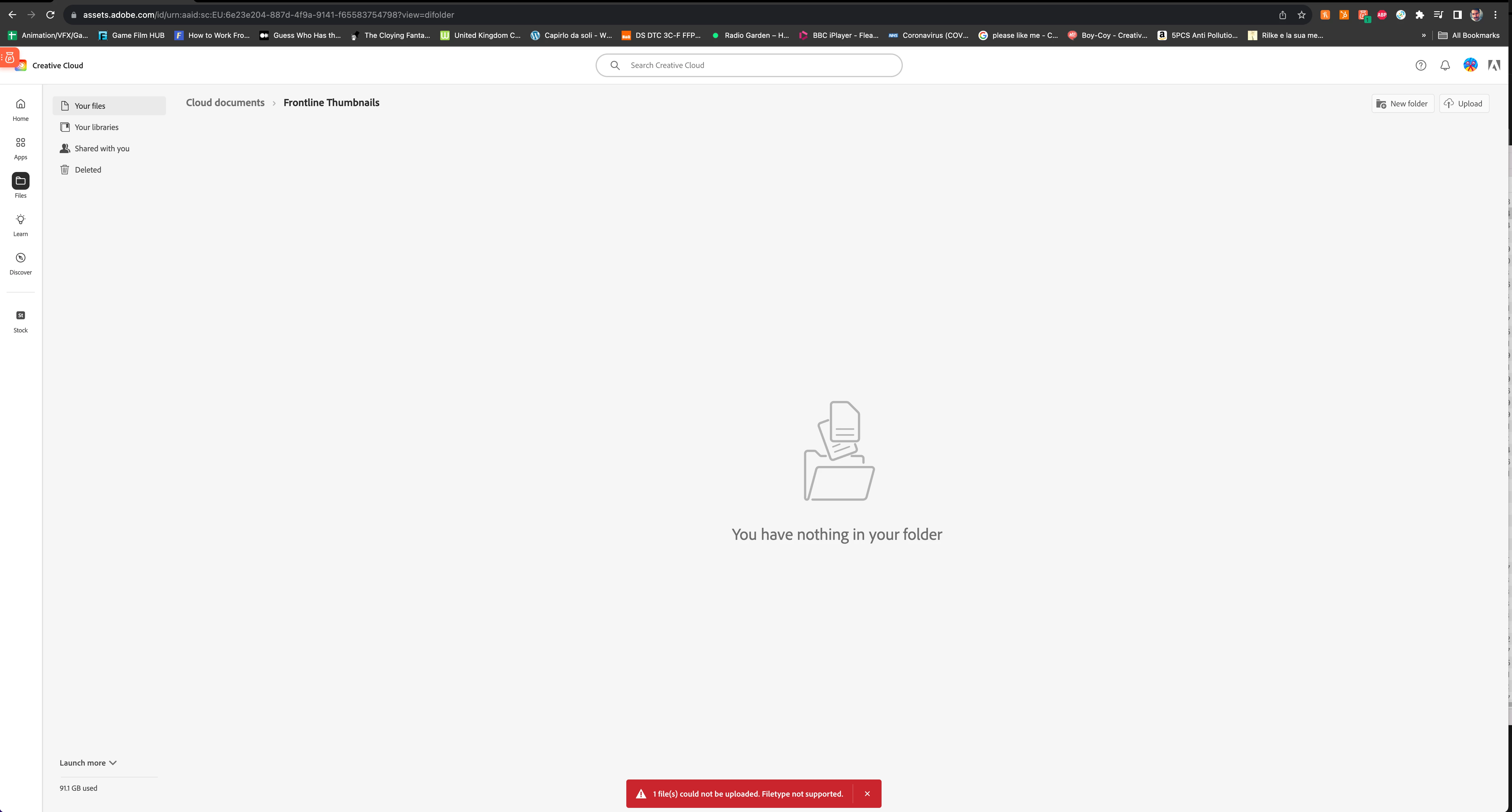
I need to share some simple images, I open the Creative Cloud app on the web, I go on my files, I create a folder, I enter the folder and press upload and the upload fails.....

the error says filetype not supported but it's a F*CKING JEPEG !!!!!!
This topic has been closed for replies.

1 reply

kglad
Community Expert
Community Expert
November 29, 2023

cloud documents do not include jpgs.  for the time being, you can use the cc sync folder for those non-adobe file types.


here's basic info:  https://helpx.adobe.com/creative-cloud/help/about-cloud-documents.html


then for more info go here and check the beginner (if applicable) tutorials for cc useage and then advanced, https://helpx.adobe.com/creative-cloud/tutorials-explore.html


==========================================

in the future, to find the best place to post your message, use the list here, https://community.adobe.com/

p.s. i don't think the adobe website, and forums in particular, are easy to navigate, so don't spend a lot of time searching that forum list. do your best and we'll move the post (like this one has already been moved) if it helps you get responses.


<"moved from enterprise & teams">


Participant
November 29, 2023

Yea now I remember the stupid difference between "Your Files" in the creative cloud app and "Synced files" in the Creative Cloud 🤯 . I'd like the files to just be stored on the cloud I don't want them in my synced Creative Cloud files on my pc.

kglad
Community Expert
Community Expert
November 29, 2023

they won't be for very long.


look for a non-adobe cloud storage solution.