
Answered
I have had a file disappear from creative cloud and then the name get reassigned to a different file.
I have had a file disappear from creative cloud and then the name get reassigned to a different file. How do I retrieve the missing file?

I have had a file disappear from creative cloud and then the name get reassigned to a different file. How do I retrieve the missing file?
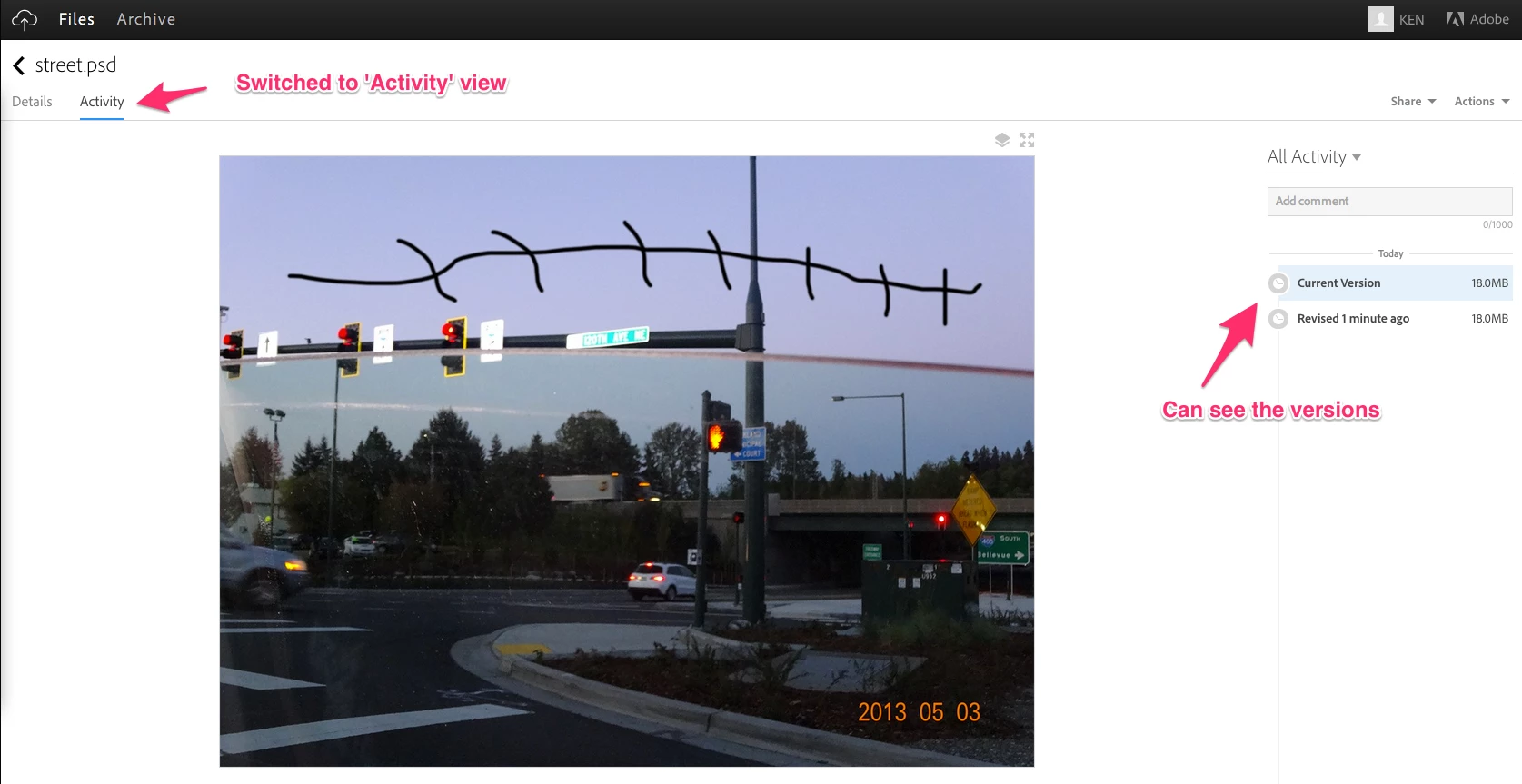
If a file with the same name is saved again then a version is created. You can see versions from the Files page at https://creative.adobe.com/files. From the Files page click on the file to go to its page. Switch from the Details tab to the Activity tab if needed. You will see the Current Version and any past versions.
Already have an account? Login
Enter your E-mail address. We'll send you an e-mail with instructions to reset your password.


 AdChoices