
RLP9709495
Participating Frequently
February 17, 2020
Question

Inconsistent Cloud Storage

  • February 17, 2020
  • 1 reply
  • 559 views

i have a 20gb cloud storage, and i deleted a bunch of files in lightroom to make space. I ended up with only having consumed 356mb out of 20GB.
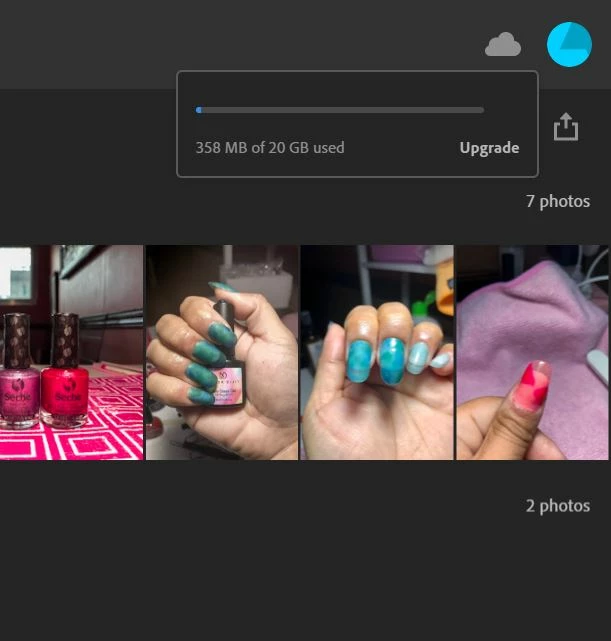


But while i was doing something on Premier Rush, i kept getting the notification that my storage is full. When i checked the assets page, it says i have used up 17.5gb.
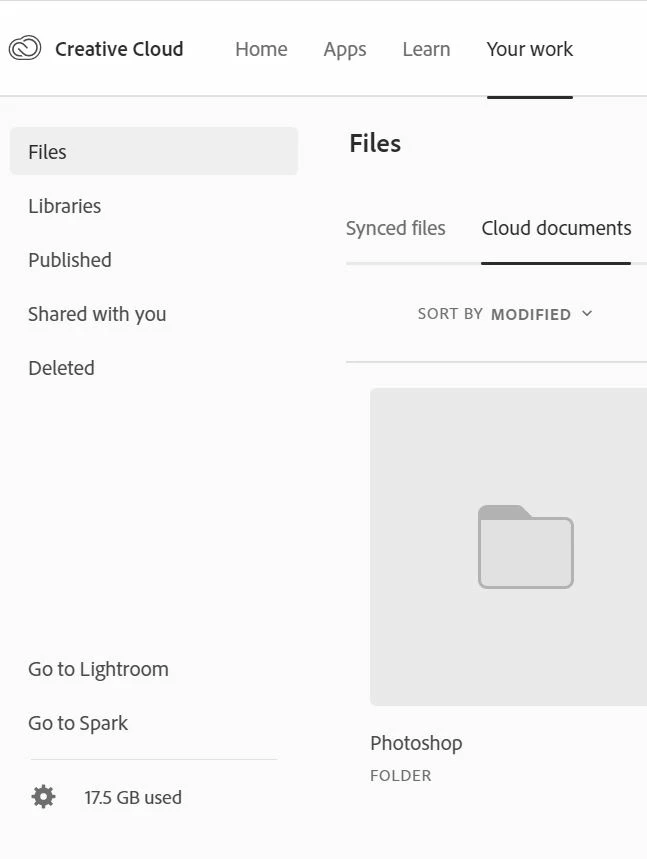
how can i check what the 17.5 GB consists off?

i already double checked all my apps, and i don't have any files large enough to consume the space indicated.

Why isn't storage information not consistent?

This topic has been closed for replies.

1 reply

Just Shoot Me
Legend
February 17, 2020

In that second screen shot you posted have you looked in each section on the left, Files, Libraries and the like? Especially the Deleted section?

And then on each section across the top and opened any folders you find in them?


RLP9709495
Participating Frequently
February 17, 2020

Hi!

Yes, the deleted items in the assets page has already been cleared.


but they share the same storage. shouldn't it be consistent? 

why would it show that it's almost full in one site and completely different information in the other?

--
Cheers!

Renee Rose Pinero