
robinjsheff
Participant
January 3, 2021
Answered

iPhone view of my folders and documents different to iMac view

  • January 3, 2021
  • 1 reply
  • 191 views

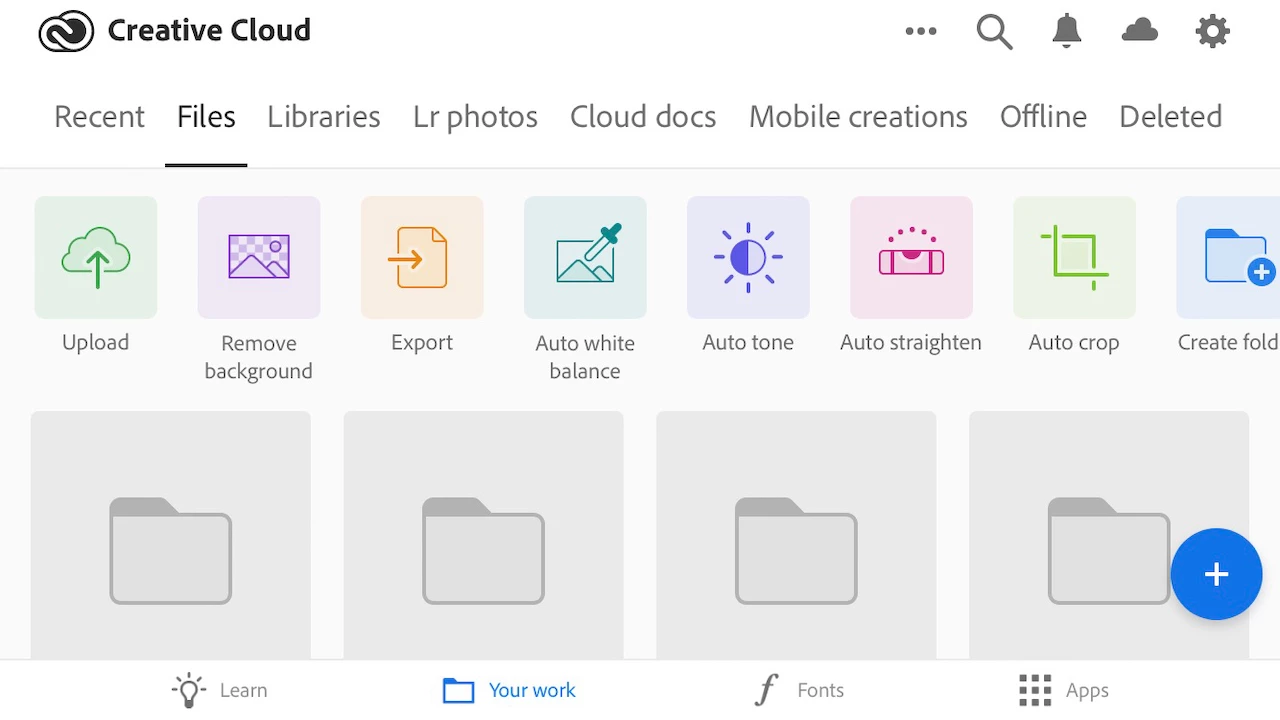
Hi there - on my iPhone I see this view of my folders and documents and they show and work exactly as I set them up. The same layout used to be on the iMac as well (i am sure). But now all I can see on the iMac is Libraries. How do I get the menu back please ?


Thanks


This topic has been closed for replies.
Correct answer kglad

the desktop app contains "links" to your local sync'd folder (file>open sync'd folder) and to your cloud folder (cloud icon at upper right>creative cloud web)

1 reply

kglad
Community Expert
kgladCommunity ExpertCorrect answer
Community Expert
January 3, 2021

the desktop app contains "links" to your local sync'd folder (file>open sync'd folder) and to your cloud folder (cloud icon at upper right>creative cloud web)