
Inspiring
August 13, 2015
Answered

Learn More about Some files failed to sync

  • August 13, 2015
  • 3 replies
  • 955 views

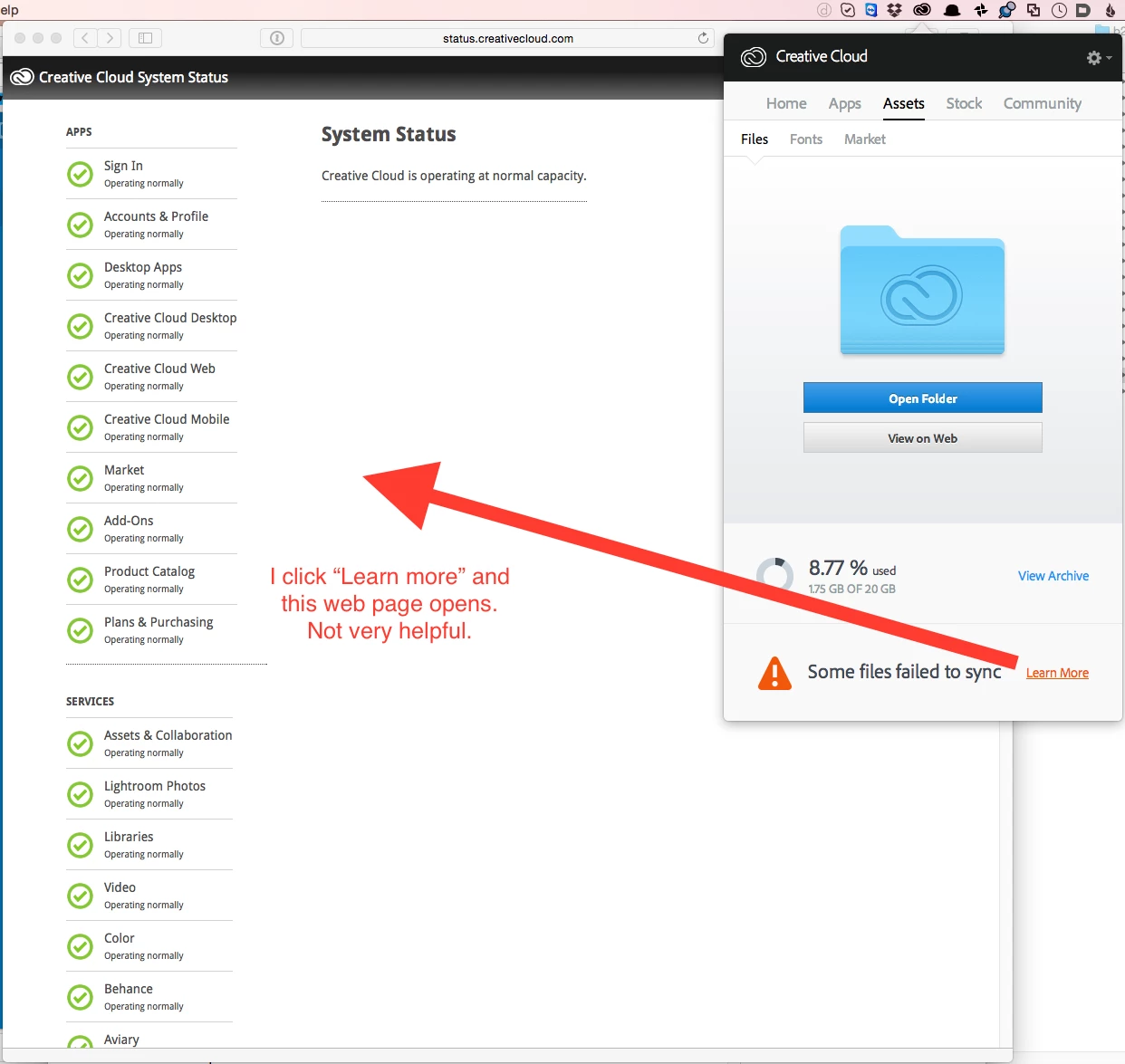
The Creative Cloud menu bar icon had a red alert triangle, so I opened it. The Assets>Files area wanted attention. At the bottom it says "Some files failed to sync" with a link to "Learn More".

I click the link, but I am delivered to a web page that does not answer the question at all.

What files failed to sync? Why?
This topic has been closed for replies.
Correct answer wesplate

Thank you. The log file location suggested in that thread was not where my log files were. On my system the CoreSync* log files were located at ~/Logs

Looking through the log for "fail" messages it appears the problem was connectivity to the server.

Thank you. Feature request would be to make the error message more informative.

3 replies

Megha Rawat
Community Manager
Community Manager
August 14, 2015

You are welcome.

Have a nice day!

Regards

Megha Rawat

Megha Rawat
Community Manager
Community Manager
August 14, 2015

Kindly refer: "Some files failed to Sync" Creative Cloud

Hope this helps.

Regards

Megha Rawat

Atul_Saini
Community Manager
Community Manager
August 14, 2015
Megha Rawat
Community Manager
Community Manager
August 13, 2015
wesplateAuthor
Inspiring
August 14, 2015

Sorry, those are not very helpful links for me.

How am I supposed to know which characterizes the reason I'm getting the error message?

An error number that led me directly to the error along with a list of file(s) that failed would be much more useful.

Is there a log file I should consult?

Nothing changed in my Creative Could files folder and yet today the Assets>Files area of the app shows that all is in sync.