
dboxBrMart
Participant
June 20, 2018
Answered

Libraries Panel doesn't load - Please Update CC

  • June 20, 2018
  • 1 reply
  • 1040 views

Hi!

My Creative Cloud Libraries Panel dont load, Im stuck with this following message " To use Creative Cloud Libraries, please update the Creative Cloud Application"


I already have the latest version, also tried to use the Clean software, tried do clean cache, uninstall all and delete all Adobe CC files.
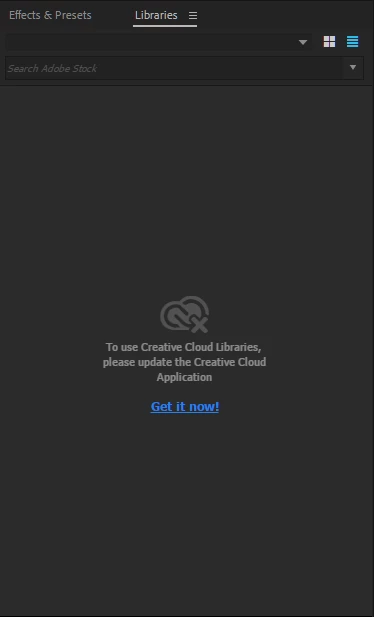
This happens in Illustrator, Photoshop, After Effects and Premiere (possibly all the other apps too)

I have no idea.

This topic has been closed for replies.
Correct answer EnC

I still have this same problem, but FYI I found this which may help others:https://helpx.adobe.com/creative-cloud/kb/creative-cloud-libraries-panel-doesn-t-load-in-desktop-products.html

Solution to the issue: Adobe Creative Cloud Libraries panel doesn't load in desktop products

I think my issue is related to my account as a whole though - I don't have the libraries panel connecting on either my desktop or my laptop. I hope Adobe can fix this soon!

1 reply

EnC
EnCCorrect answer
Participant
July 19, 2018

I still have this same problem, but FYI I found this which may help others:https://helpx.adobe.com/creative-cloud/kb/creative-cloud-libraries-panel-doesn-t-load-in-desktop-products.html

Solution to the issue: Adobe Creative Cloud Libraries panel doesn't load in desktop products

I think my issue is related to my account as a whole though - I don't have the libraries panel connecting on either my desktop or my laptop. I hope Adobe can fix this soon!