
dv8kiwi
Inspiring
September 29, 2020
Answered

Marketplace tab missing from Creative Cloud Desktop Windows

  • September 29, 2020
  • 4 replies
  • 2374 views

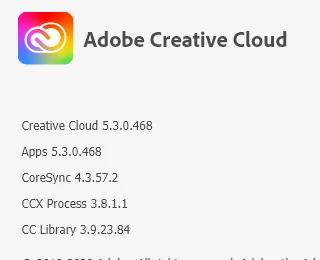
I have two computers using the same curent version of Creative Cloud Desktop. One has a tab called Marketplace, which is great. On the other one the tab is missing! What on earth is going on here?
This topic has been closed for replies.
Correct answer Just Shoot Me

Then the one that is missing the marketplace tab is older.


There are several parts to that app.


4 replies

RP23
Participating Frequently
October 1, 2021

Hi I finally figured out the maze of Adobe CC and the marketplace as of Oct 2021.  It is a convoluted mess. So when I went to my Adobe CC app on my Mac desktop (Mac Catalina 10.15.7 with Adobe CC version 5.5.0.619 which is the newest CC app I believe) there was no tab that said marketplace. An Adobe April 2021 article mentions using the marketplace so people saying it was deleted are wrong. It just gets lost a lot.

When I was in PS version 22.5, I clicked on the Plug-ins panel and clicked on "Plug-in Manager" then magically the marketplace showed up in my CC app. Now the tab was back and it included category "Libraries" for free libraries we can follow and get assets from, which is pretty new I think. It also had a category "Stock"  to obtain 70,000 free stock items from Adobe. The fonts and Substance 3D categories took you to a website separately. So if you want access to the marketplace, go through the Plugins panel manager on PS. Now that I have done that the marketplace tab still showed up after I closed everything and reopened them.

If you are looking for free brushes, you cannot do that in the marketplace. You have to open the brushes panel in PS and click "get free brushes" to be taken to the website

https://www.adobe.com/products/photoshop/brushes.html?promoid=XKMMHH6G&mv=other

If you are looking for app-integrations or extensions you have to go to Exchange.adobe.com/creativecloud.html

(It wouldn't let me copy and paste the link)

I followed a library but it will never show up in my library panel. I see users on videos with a link at the bottom of their library panel on PS that they can click on to search for free libraries but mine doesn't show that. If anyone knows how to get the free library I followed or the Plug-in I got from the Adobe CC app to actually show up in my PS panel, I would appreciate it.


David__B
Adobe Employee
Adobe Employee
November 11, 2020
JanineG.
Inspiring
November 10, 2020

Hi,


I am having the exact same issue. Have you found a solution or figured out what's causing it?


Thanks.

Janine

dv8kiwi
dv8kiwiAuthor
Inspiring
November 10, 2020

It' actually just started working

JanineG.
Inspiring
November 10, 2020

Huh? How? Have you done anything?

Just Shoot Me
Just Shoot MeCorrect answer
Legend
September 29, 2020

Then the one that is missing the marketplace tab is older.


There are several parts to that app.