
Question
Microsoft Visual C++ Runtime Library - Assertion failed CCX process
Hello
I installed CC and then unistall it (because I realize that I don't need it, I use only adobe acrobat DC free which independent to CC), unfortunately. The program not let me unistall them so I have to use the CC unistaller to get rid of it. However, after I restart my laptop and this happen to me
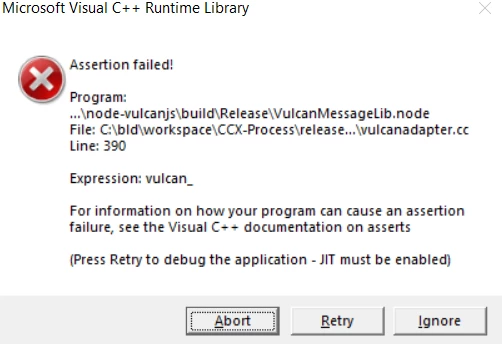
and this on my start up apps but I can't find it in my laptop

and these programs in install list with recent date, I guess they were installed with CC

If I unistall Microsoft visual C++, will alert message go way?
They are so annoying
Only adobe acrobat DC free verssion in my PC.
Thanks in advance
JK.


 AdChoices