


khoi_sincerely
Participant
Nov 13, 2014 12:51 AM UTC
Question

Multiple issues with Creative Cloud File Syncing

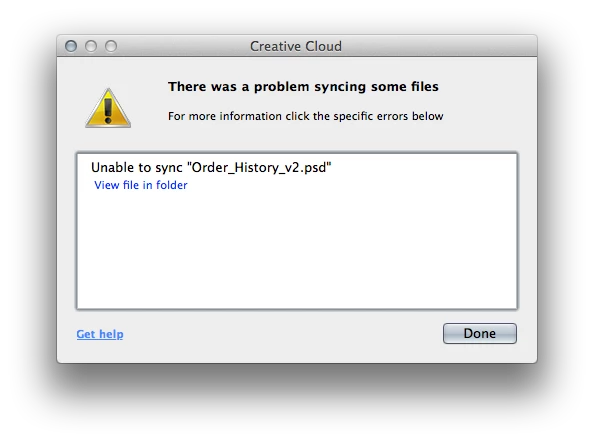
  1. I'm have issues with syncing files on my mac to Adobe Creative Cloud. I don't seem to have issues syncing via drag and drop to my web browser. I keep getting this error while syncing via finder:
  2. I also have a fairly complex PSD with folders that i'm toggling on and off using Layer Comps. I don't see any difference when switching Layer Comps within Extract in the browser. I do see the changes when turning on and off the folders though.. What's the deal with that?
  3. Why does it take so long to render the PSD after I turn on a folder or switch layer comps? It takes about 30 seconds to re-render, which is crippling for our workflow.


This would be an amazing tool for our developers if these 3 issues were resolved.

This topic is closed to new replies. Start a new post to keep the conversation going.

3 replies

wharress
Participating Frequently
Nov 17, 2014 10:47 AM UTC

Hi,

Can you let me know the size of this file please?, we currently have issue where large file will fail to sync. This is an issue we looking into as a priority.

Thanks

Warner

Translate
khoi_sincerely
Participant
Nov 17, 2014 7:06 PM UTC

It's a 23mb file with lots of layers.

Translate
wharress
Participating Frequently
Nov 18, 2014 9:37 AM UTC

Thanks for the information.

Could you now send me some log files please..

The log files can be found here:

Mac: /Users/<yourusername>/Library/Application Support/Adobe/CoreSync/

Windows: C:\Users\<yourusername>\AppData\Roaming\Adobe\CoreSync\

The logs have the date in the filename, like "CoreSync-2014-03-25.log". Please compress (zip) all the CoreSync-2014-MM-DD.log files and email them to me directly at harness@adobe.com


Thanks

Warner

Translate