
Participant
September 12, 2024
Answered

My Creative Cloud is not reading the folders/files I have on my computer.

  • September 12, 2024
  • 1 reply
  • 423 views

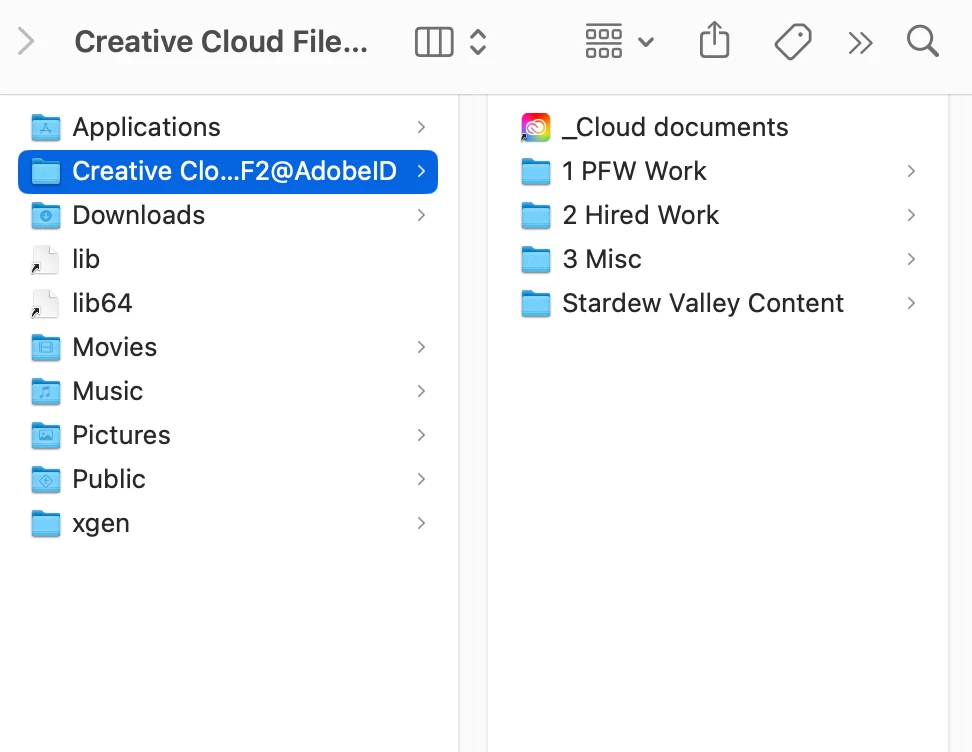
Hello all, hopefully, someone can help me with this. I have been using my creative cloud to store my files for years and this has happened once before to me but I can't find how I fixed the issue. It is almost as if my cloud's pathfinding isn't working. When I go into my files it says that it is "up to date" but it won't read the folders I have in my creative cloud! I've attached a screenshot showing the folders inside the cloud so I know they are on my computer and from here I can open old files but can't access the cloud to save any new ones. Please Help!
This topic has been closed for replies.
Correct answer kglad

you still have the storage, but the local cc sync folder is no longer part of it.

1 reply

kglad
Community Expert
Community Expert
September 12, 2024

the local cc sync folder has been discontinued.


for enterprise and teams, https://helpx.adobe.com/enterprise/kb/eol-cc-synced-files-for-business-plans.html


for individual subscribers, https://helpx.adobe.com/creative-cloud/kb/eol-creative-cloud-synced-files.html

Participant
September 12, 2024

Oh so do I not have access to the 100 GB of storage I'm paying for? Do I have to keep them on my computer's hardrive instead?

kglad
Community Expert
kgladCommunity ExpertCorrect answer
Community Expert
September 12, 2024

you still have the storage, but the local cc sync folder is no longer part of it.