
Question
My files are archived automatically
We have been using Creative Cloud in our team for 2 years now. We have 3 team members and we share design files on the Creative Cloud Files. I also use my CC account on my home computer.
We have had several problems with file syncing in the past:
For about 4-5 times suddenly 50-70% of the design files are moved to archive. It seems to happen when there is a syncing conflict with one of the computers.
It's really scary to discover all those files have disappeared from our computers. And each time it's a struggle to restore all those files and to make sure none of them is missing...
CC often also creates multiple folders like this:
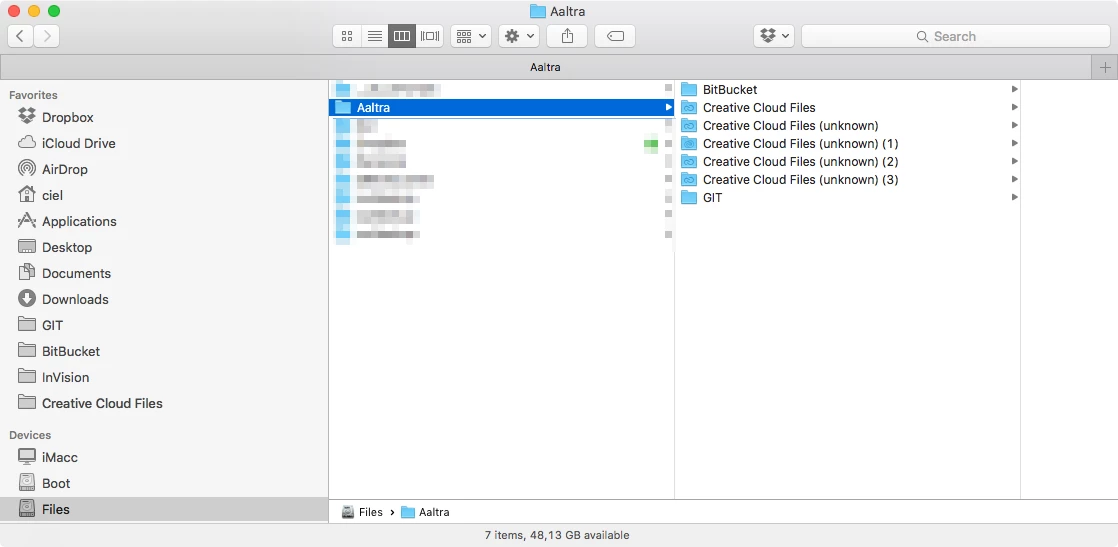
We really need a solution for this issue or we will have to move our files to DropBox.


 AdChoices