
Inspiring
July 15, 2024
Question

Phishing? Strange error message preventing use.

  • July 15, 2024
  • 2 replies
  • 782 views

I have been randonly getting this popup when trying to  launch photoshop 2024, and today acrobat.
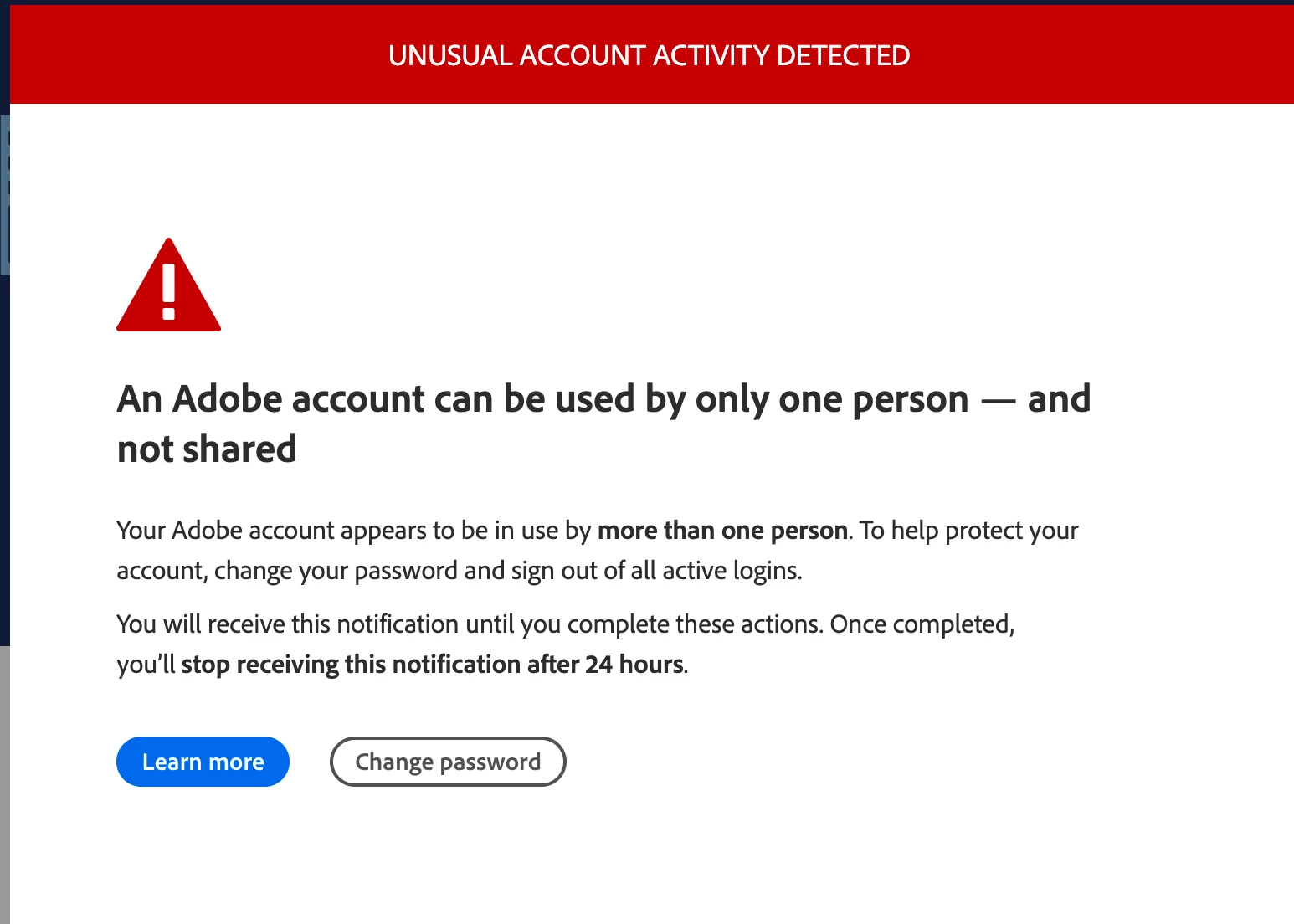


There is nothing wrong with my account and nothing has changed. This pop up blocks the select app only, requiring a force quit to do anything else. When I restart the app it works fine. My account is 100% legit.


A call to adobe resulted in several transfers and repeatedly being told to uninstall and reinstall my entire system. I got the impression I was talking to AI because they just didn't seem to understand the question.


I assume this is a phishing sceme and will not click on the amateur looking icon.


Adobe could not tell me if it was really them or not.


Has anyone else seen this?


Thank for any help.


This topic has been closed for replies.

2 replies

kglad
Community Expert
Community Expert
July 15, 2024

in the future, to find the best place to post your message, use the list here, https://community.adobe.com/

p.s. i don't think the adobe website, and forums in particular, are easy to navigate, so don't spend a lot of time searching that forum list. do your best and we'll move the post (like this one has already been moved) if it helps you get responses.


<"moved from cc services">
kglad
Community Expert
Community Expert
July 15, 2024

check your account https://account.adobe.com > account & security > sign-in security and check active sessions to make sure it looks ok (esp, the next time you see that alert.)


while you're at it, if not already done, it would be prudent to enable 2fa and verify with text messages.

jbloAuthor
Inspiring
July 18, 2024

Thanks for the replies. All sign ins in my account look legit.


I was hoping somebody would be able to verify wether that is a legit Adobe error message. It certainly looks like it was created in about 1 minute by a hacker!  😀

kglad
Community Expert
Community Expert
July 18, 2024

you can't tell by looking at an image, but it looks like a legit image.