Participant
December 14, 2014
Question

Photoshop files not syncing to CC. No reason or help on why.

  • December 14, 2014
  • 2 replies
  • 499 views

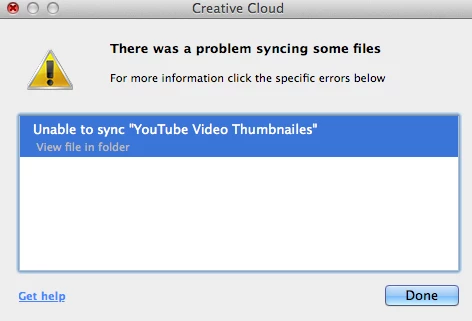
Below is an image of the error I get. My Internet connection is good. I'm signed in to CC. No idea why they won't sync. Any help?

This topic has been closed for replies.

2 replies

Adobe Employee
December 15, 2014

Hi Ryan,

Make sure the Creative Cloud sync settings are turned on. In the CC app. Click the Gear icon > Preferences > Files Turn on the sync files

Let us know if you are still having issues

Thanks

Scott

Participant
December 15, 2014

Scott,

Sync settings did not solve my issue. I'll copy comments I gave to another below. Thanks for the help.

John,

Thanks for the help. Unfortunately none of those links help solve the problem. Phantom folder was the closest, so it got me thinking to restart the whole process.

BTW I'm on a Mac, OS X 10.10.1. The problem appears to be when I added the Creative Cloud Files folder into my dock from my sidebar. I then was dragging and dropping files straight into that folder on the dock. Apparently that's not good.

So I took them out of that folder and went to my browser. I then went to "My Assets" page and added the files from the browser. Worked like a charm. The files are in my CC files folder in my dock on my Mac as well and all appears fine. But I won't be adding files into that folder on my dock any time soon.

Thanks again!

John T Smith
Community Expert
Community Expert
December 14, 2014
Participant
December 15, 2014

John,

Thanks for the help. Unfortunately none of those links help solve the problem. Phantom folder was the closest, so it got me thinking to restart the whole process.

BTW I'm on a Mac, OS X 10.10.1. The problem appears to be when I added the Creative Cloud Files folder into my dock from my sidebar. I then was dragging and dropping files straight into that folder on the dock. Apparently that's not good.

So I took them out of that folder and went to my browser. I then went to "My Assets" page and added the files from the browser. Worked like a charm. The files are in my CC files folder in my dock on my Mac as well and all appears fine. But I won't be adding files into that folder on my dock any time soon.

Thanks again!