


Participant
April 15, 2022
解決済み

Photoshop updates keep failing with Fatal Error 125 on Win 10

  • April 15, 2022
  • 返信数 2.
  • 788 ビュー

Hi

I'm unable to update Photoshop through the CC program on Windows 10. It keeps giving the Error 125. There is nothing in the Firewall settings blocking it. It always worked before. So I don't know if the problem is on my end or Adobe's server.
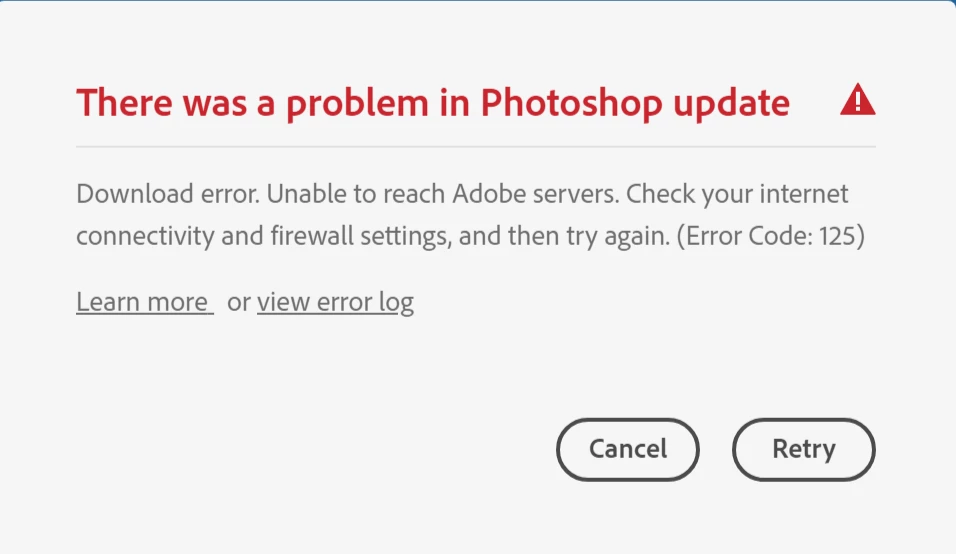


This is what the error log says:

Exit Code: 125
-------------------------------------- Summary --------------------------------------
 - 2 fatal error(s), 0 error(s), 0 warnings(s) 

FATAL: Fatal Error '125' occurred while download
FATAL: Error occurred in install product workflow with error code 125 error message {https://cdn-ffc.oobesaas.adobe.com/core/v3/applications?name=ACAI&version=0.3.1&platform=win64&build=0.3.1.3,P:-4,PS:404,G:-4}
-------------------------------------------------------------------------------------


このトピックへの返信は締め切られました。
解決に役立った回答 J-Wagner

using a browser that allows popups and cookies, contact adobe support by clicking here, https://helpx.adobe.com/contact.html?rghtup=autoOpen
in the chat field (lower right), type AGENT
be patient, it can take quite a while to reach a human


Thanks, they were able to figure it out, my VPN was the problem.

返信数 2

J-Wagner作成者
Participant
April 16, 2022

I wanted to see if it was just the Photoshop update not working so I installed a new CC app, I downloaded and installed Adobe Dimension and it worked! So why does only the Photoshop 23.3 update not download and install?! 🤔 🤔

kglad
Community Expert
Community Expert
April 16, 2022

does your computer meet ps 23.3 specs?

J-Wagner作成者
Participant
April 17, 2022
Yes
kglad
Community Expert
Community Expert
April 16, 2022

if nothing changed (eg, your default web browser, your network, your network settings etc) on your end, restart your computer and retry.

J-Wagner作成者
Participant
April 16, 2022
I did, it still won't work. Keeps failing to update.