
Germán Herrera
Inspiring
December 15, 2022
Answered

Portfolio not updating changes made in browser.

  • December 15, 2022
  • 1 reply
  • 631 views

Hello folks,

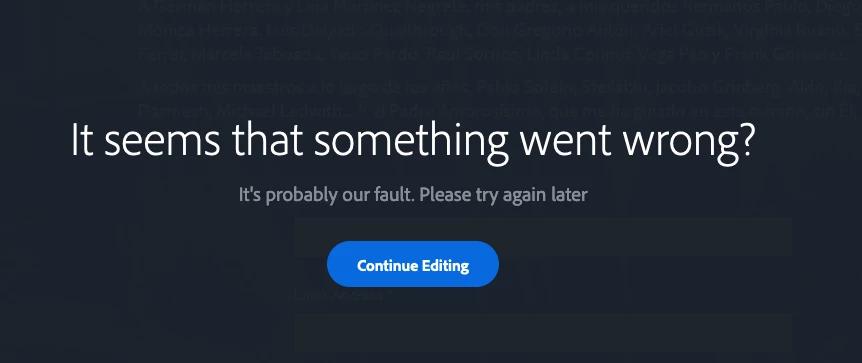
As  result of fonts being deactivated, I have been making changes and experiencing this problem. I have submitted a ticket, but wanted to ask if others may be getting the same error message, I see this happening running Ventura using Firefox 107 and Safari 16.1 Thanks.
This topic has been closed for replies.
Correct answer Germán Herrera

@Germán Herrera 


probably not.  this is the forum where portfolio questions are posted and we usually direct people to 


portfolio questions: https://help.myportfolio.com/hc/en-us/requests/new?ticket_form_id=177168

portfolio faq: https://help.myportfolio.com/hc/en-us


but if you want to see what other users are seeing, this is the best spot.  (and i'm seeing my normal site, https://kglad.myportfolio.com/ )


Thank you kglad and John T Smith.

The problem seems to have been resolved. I guess a bit of patience is always helpful.

1 reply

John T Smith
Community Expert
Community Expert
December 15, 2022
Germán Herrera
Inspiring
December 15, 2022

Is it possible to create a post in any of those links? I am trying to get some feedback from other users that may be experiencing this same problem. Since there is no forum for Adobe Portfolio, this is the route I am taking. I realize this may be a source of frustration for people like you that help us out, but please tell me if there may be a better way to go about this.

Thank you.


MacOS 15.1.1 Sequoia>System: Macbook M2 Pro 16Gb
John T Smith
Community Expert
Community Expert
December 15, 2022

I wish I could help, but I don't use Portfolio... so all I have is that saved link with lots of links inside that discussion