
Question
Problem with file synchronization ventura 13.4.1 (22F82)
Problem with file synchronization
After upgrading to MACOSX VENTURA 13.4.1 (22F82)
Files from Adobe cloud are not updating, I have done all the help steps I could find on this forum and more.
The files are on my adobe cloud and on one of the computers they are not updating. I don't see any Adobe error. nor a MACosx system bug. I have done various repair steps from the installer, nothing helped.
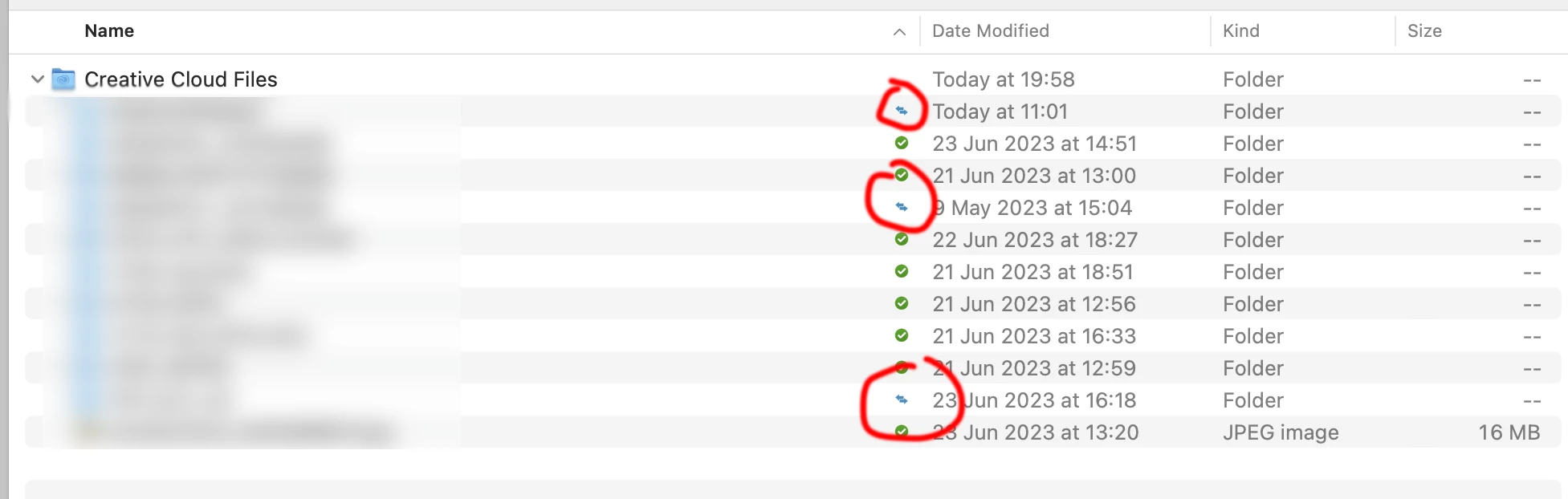
On the screen preview of the screen that I attached, only the status of the files is being updated is displayed to me, but this state is continuous and there is no update. He performs operations that have no end


 AdChoices