

Re: Creative cloud library problem
I don't know if this has been resolved for anyone else, but I'm running into the exact same problem.
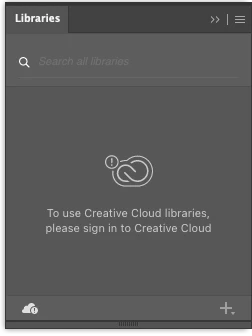
After updating Adobe CC to v5.7.01307, as well as all other apps I use (Illustrator v26.2.1, Photoshop, InDesign), my entire library collection has disappeared, leaving me with just the message "To use Creative Cloud libraries, please sign in to Creative Cloud", even though I am signed in to my CC account. All my apps work fine, except for my missing Library. Any suggestions?
I tried signing out and back in again through the Help menu, as well as through the CC app., and I restarted my Mac several times.
I'm currently running MacOS v12.2.1 (Monterey) on a Mac Mini M1, 1TB HDD, 16GB RAM.
Let me know if you need any more information to make the right assessment.


 AdChoices