
DavidMatos
Inspiring
April 28, 2022
Question

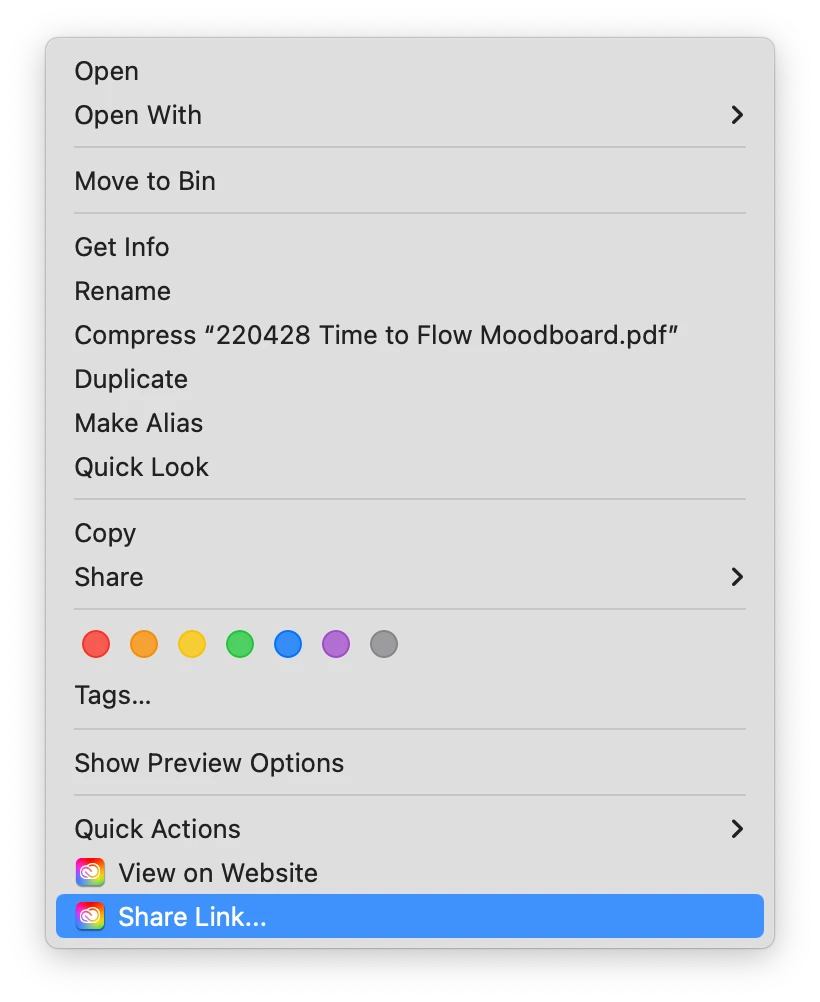
‘Share Link’ on Finder macOS doesn’t work

  • April 28, 2022
  • 1 reply
  • 550 views

Problem persists for over a year in different machines (updated macOS at all times). In order to share a link, you have to go through the View on Website annoyance.

This topic has been closed for replies.

1 reply

Tarun Saini
Community Manager
Community Manager
April 29, 2022

Hi David,


Thanks for reaching out. I would like to inform you that the View on website option opens the asset view on the web and the share link opens the share link dialog of that asset which is the in-built behaviour.

Regards,

Tarun

DavidMatos
Inspiring
April 29, 2022

Thanks Tarun for the reply, but I don’t see how is that helpful (or even addressing the malfunction described). In fact, in addition to the issue above, View on Website ceased to work as well (i.e. nothing happens onclick) / D

Tarun Saini
Community Manager
Community Manager
April 29, 2022

Thanks for the response. If clicking on that option does not work, please ensure that you're on the updated version of the Creative Cloud Desktop Application and make sure the operating system is updated. Try signing out first & then restart the device and try signing in again to check if that helps.