

António P. - Vanguardly
Inspiring
Apr 11, 2019 8:10 AM UTC
Answered

Sharing a Link to a Folder with Subfolders Returns Error 404

Hello,

If I share a link to a folder that has 2 or more levels of subfolders, with files in them it will return 404 when accessing the level 2 +  folders.

Not using any special chars, also tried without any spaces on files or folder names.

I've created a Test Folder that shows the issue https://shared-assets.adobe.com/link/18f9cb43-3d27-4d76-5a68-e7829ae2d66a

You can also see the below video/gif :
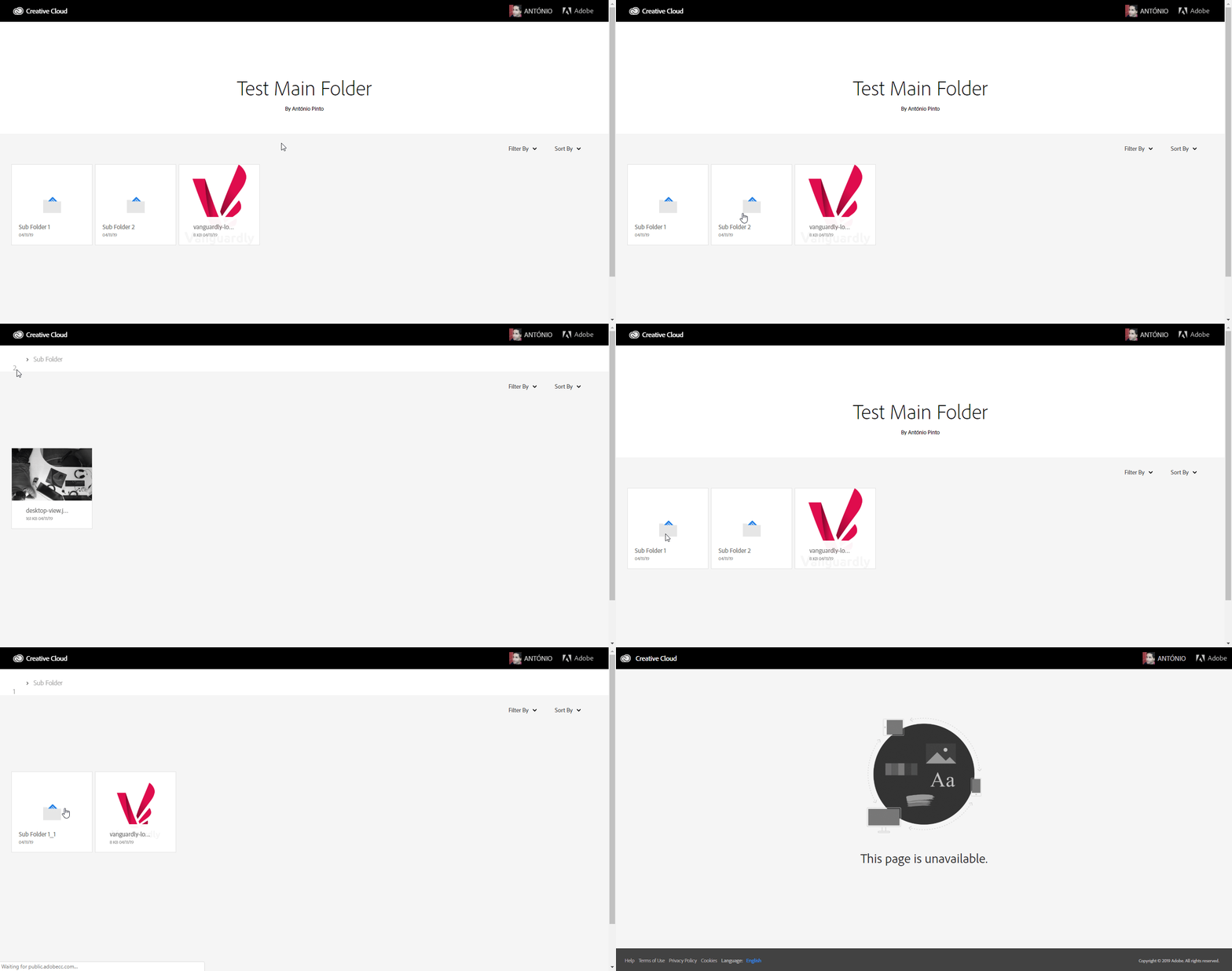
Let me know if I should post this report elsewhere.

Thank you!

This topic is closed to new replies. Start a new post to keep the conversation going.
Yukari_MachiyamaCorrect answer
Adobe Employee
Apr 15, 2019 3:29 PM UTC

Hi,

We have addressed this problem. Could you please try your shared links again?  Thank you!

-Yukari

4 replies

António P. - Vanguardly
Inspiring
Apr 23, 2019 3:59 PM UTC

Yukari Machiyama​ sorry for taking so long replying, I was on vacations

I just tested and the issue seems to be fixed, thank you very much for you and the Adobe team

Translate
Adobe Employee
Apr 23, 2019 6:53 PM UTC

Glad to hear that the problem has been solved on your end.  Thank you for the update!

-Yukari

Translate
Yukari_MachiyamaCorrect answer
Adobe Employee
Apr 15, 2019 3:29 PM UTC

Hi,

We have addressed this problem. Could you please try your shared links again?  Thank you!

-Yukari

Translate
Adobe Employee
Apr 12, 2019 4:37 PM UTC

Hello @apintocr,

Thank you for taking time to report this problem.  We are currently investigating and will follow up asap.

Thanks again,

-Yukari

Translate