
Inspiring
October 5, 2015
Answered

Some Files Failed to Sync - WHY?

  • October 5, 2015
  • 1 reply
  • 1102 views

Hi

I understand that some symbols/characters are invalid when syncing, but the file names for some icons I'm syncing don't contain any of them!

Here is the files in the folder...
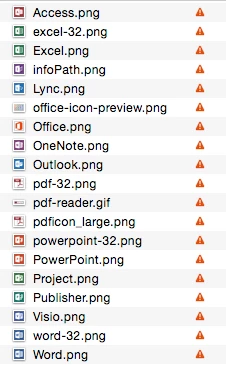
They are just PNGs, with no special symbols/characters.

Any ideas why these files aren't syncing?

Cheers
G

This topic has been closed for replies.
Correct answer GlynnWilliams

Hi Ashley

I just found the issue! When I clicked on "Show files" it took me inside a folder and displayed the icons. I just looked at the folder name itself and it was "Software/App Icons"! It had a forward slash. So I've changed it to a hyphen and it's fine now.

One thing I noticed was my PC running Windows, didn't say there was a syncing error, only the MAC.

Cheers
Glynn

1 reply

Participating Frequently
October 6, 2015

Hi Glynn,

I've sent you a private message through the forums so we can work together to get this resolved.

Warmest wishes,

Ashley

GlynnWilliamsAuthorCorrect answer
Inspiring
October 6, 2015

Hi Ashley

I just found the issue! When I clicked on "Show files" it took me inside a folder and displayed the icons. I just looked at the folder name itself and it was "Software/App Icons"! It had a forward slash. So I've changed it to a hyphen and it's fine now.

One thing I noticed was my PC running Windows, didn't say there was a syncing error, only the MAC.

Cheers
Glynn