



Will Price
Inspiring
Sep 23, 2024 9:59 AM UTC
Question

Stop the annoying modal popup window when deleting multiple library items

How do I stop this from popping up whenever I want to delete an item from a Library?
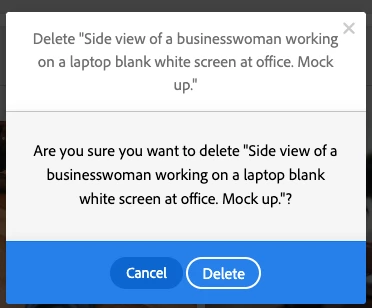


Can you bulk-select items for deletion in the web app, or can you only do this in the abomination that is the Creative Cloud app? That somehow has a different functionality from the actual Adobe stock website.


P.S. Why are Adobe so expensive and terrible at the same time?


[Moderator moved the thread to the correct forum]

This topic is closed to new replies. Start a new post to keep the conversation going.

7 replies

Will Price
Inspiring
Sep 25, 2024 5:50 PM UTC

I decided to cancel my subscription plan and get a refund. I wasn't using it enough. I didn't cancel it earlier because they threatened to wipe my credits and assets and charge me a cancellation fee.


I had to complain bitterly to get any compensation. It isn't amicable, and Adobe's pricing structure isn't great for freelancers.


Disappointing.

Translate
kglad
Community Expert
Community Expert
Sep 25, 2024 5:52 PM UTC

sorry to hear that.

Translate
kglad
Community Expert
Community Expert
Sep 24, 2024 10:03 PM UTC

try shift-selecting.

Translate
Will Price
Inspiring
Sep 25, 2024 4:25 PM UTC

No joy, sadly. You can only select one at a time, and it opens a preview.


I'd cancel it, but it's holding hundreds of my credits hostage and asking for £££ for the privilege of doing so.


I have no idea how that is legal.


It's an actual robbery.

Translate
kglad
Community Expert
Community Expert
Sep 25, 2024 4:27 PM UTC

are you using your web browser to check the cc website?

Translate